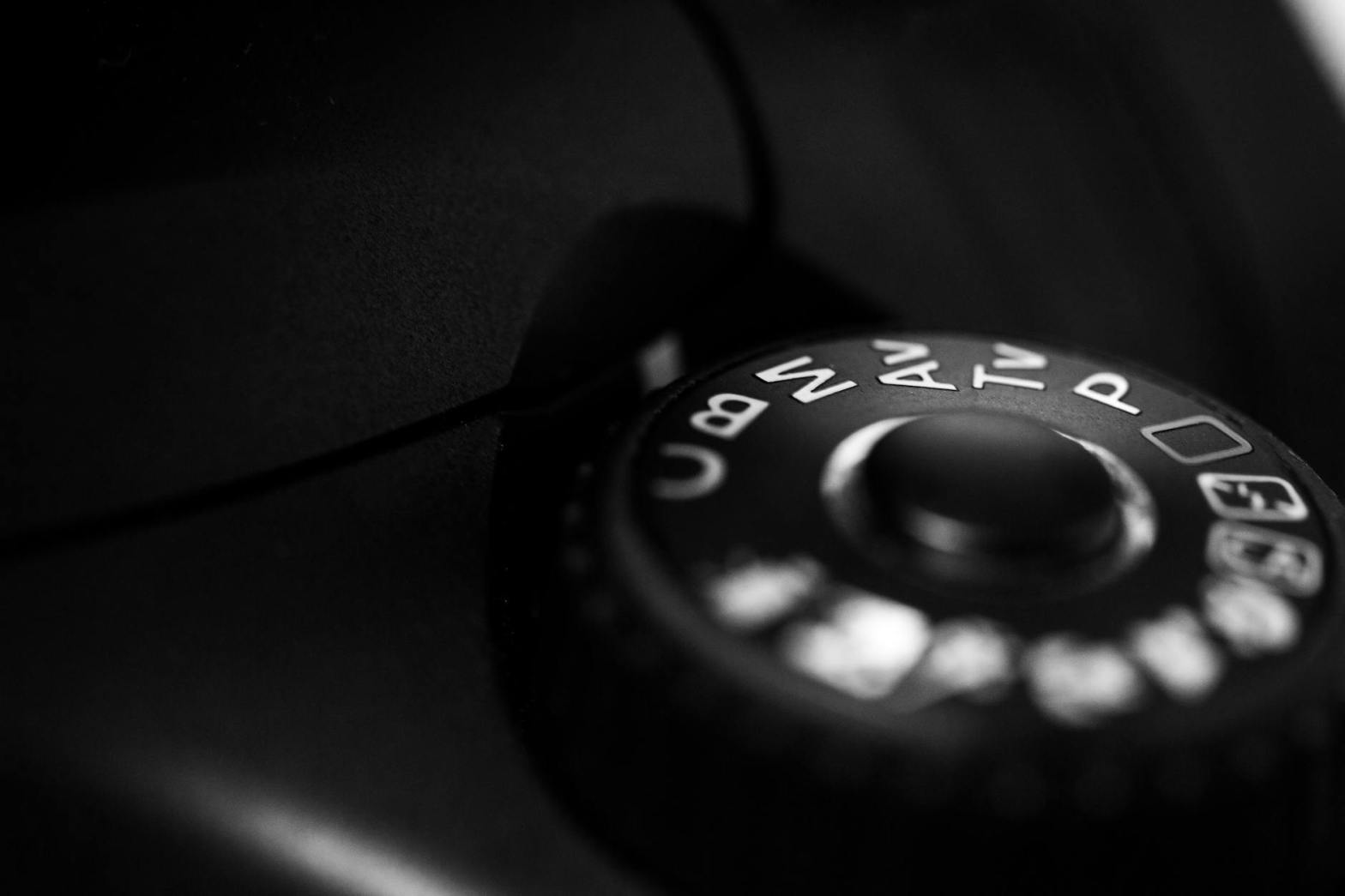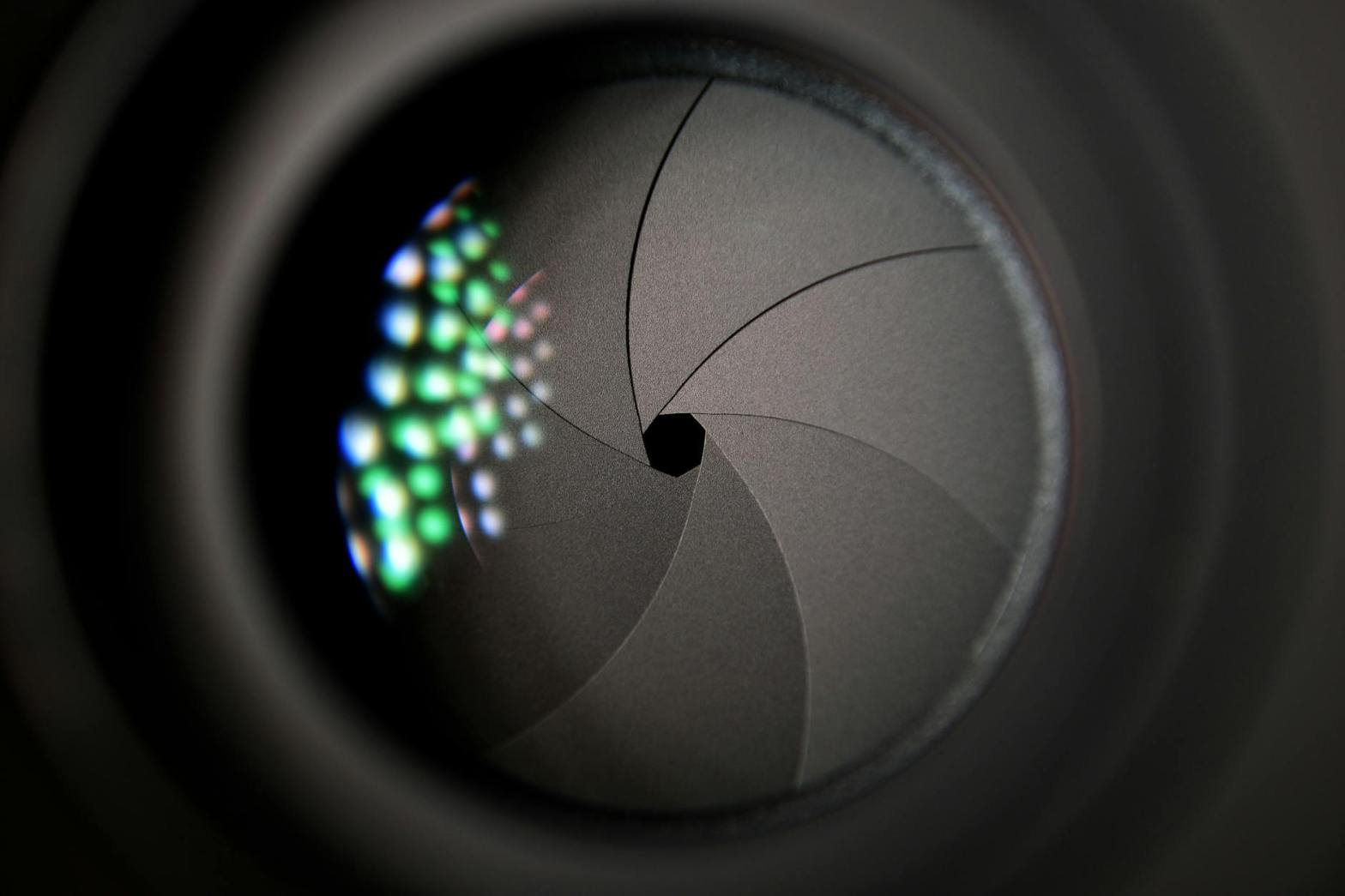
Aperture

Understanding Aperture in Photography

Aperture is a crucial element of photography that directly influences exposure and depth of field. It refers to the adjustable opening in a camera lens through which light passes to reach the sensor. By controlling aperture size, photographers can manipulate brightness and focus, enabling creative and technical control over their images.

Key Concepts

F-Stop Numbers

Aperture is measured in f-stops (e.g., f/1.4, f/2.8, f/5.6, f/11), which indicate the size of the lens opening:

  • Smaller f-stop numbers (e.g., f/1.4, f/2.8): Represent larger apertures, allowing more light to enter. This is useful in low-light conditions and for achieving a shallow depth of field.
  • Larger f-stop numbers (e.g., f/8, f/11, f/16): Represent smaller apertures, allowing less light in. These settings are ideal for landscape photography, where a greater depth of field is desired.

Depth of Field

Aperture size significantly impacts the depth of field (DoF), which determines how much of an image remains in focus:

  • Wide apertures (small f-stop, e.g., f/1.8): Create a shallow depth of field, making the subject stand out by blurring the background. This effect is commonly used in portrait photography.
  • Narrow apertures (large f-stop, e.g., f/11, f/16): Increase depth of field, ensuring that more of the scene remains sharp and in focus. This is ideal for landscapes and architectural photography.

Practical Applications of Aperture

Portrait Photography

  • Use a wide aperture (e.g., f/1.4 – f/2.8) to isolate the subject from the background, creating a professional and artistic bokeh effect.
  • Ensuring eye sharpness: When using very large apertures, focus on the subject’s eyes to maintain sharpness where it matters most.

Landscape Photography

  • Use a narrow aperture (e.g., f/11 – f/16) to ensure that both foreground and background elements remain sharp.
  • Hyperfocal distance: Understanding this concept allows photographers to maximize depth of field while avoiding diffraction issues at very high f-stops.

Macro Photography

  • Balancing depth of field and light: Since macro photography involves close-up subjects, depth of field becomes extremely shallow at wide apertures. A narrow aperture (e.g., f/8 – f/16) is often used to keep more of the subject in focus.
  • Focus stacking: Sometimes required when a narrow aperture alone does not provide sufficient depth of field.

Night and Low-Light Photography

  • Use a wide aperture (e.g., f/1.4 – f/2.8) to allow as much light as possible onto the sensor, reducing the need for high ISO settings and minimizing noise.
  • Trade-off between light and focus: A wider aperture gathers more light but reduces the depth of field, requiring careful subject placement.

Challenges and Considerations

Light Control

  • Overexposure risks: In bright conditions, a wide aperture may allow too much light, leading to overexposed images. Solutions include:
    • ND Filters: Neutral density filters reduce the amount of light entering the lens without affecting colors.
    • Faster Shutter Speed: A quicker shutter speed compensates for increased light intake.
    • Lower ISO: Reducing ISO helps balance exposure while maintaining image quality.

Lens Limitations

  • Maximum and minimum apertures: Not all lenses can achieve extremely wide (e.g., f/1.2) or narrow (e.g., f/22) apertures. Prime lenses typically offer wider maximum apertures compared to zoom lenses.
  • Lens quality and sharpness: Some lenses exhibit softness at their widest apertures or diffraction at their narrowest apertures. Understanding a lens’s optimal aperture (often between f/4 and f/8) helps achieve the best image quality.

Creative Uses of Aperture

  • Silhouettes: Using a narrow aperture combined with correct exposure settings can create strong, well-defined silhouettes.
  • Starburst Effect: Achieved by using very narrow apertures (e.g., f/16 – f/22) when photographing bright points of light, such as streetlights or the sun.
  • Intentional Blur and Bokeh Shapes: Specialized techniques, such as using shaped bokeh filters, can enhance creative expression.

Conclusion

Aperture is a fundamental aspect of photography that affects both technical quality and artistic style. Mastering its control allows photographers to adapt to different lighting conditions, enhance subject isolation, and create striking visual effects. By experimenting with different f-stops and understanding their impact, photographers can unlock new creative possibilities and refine their skills for any photographic scenario.
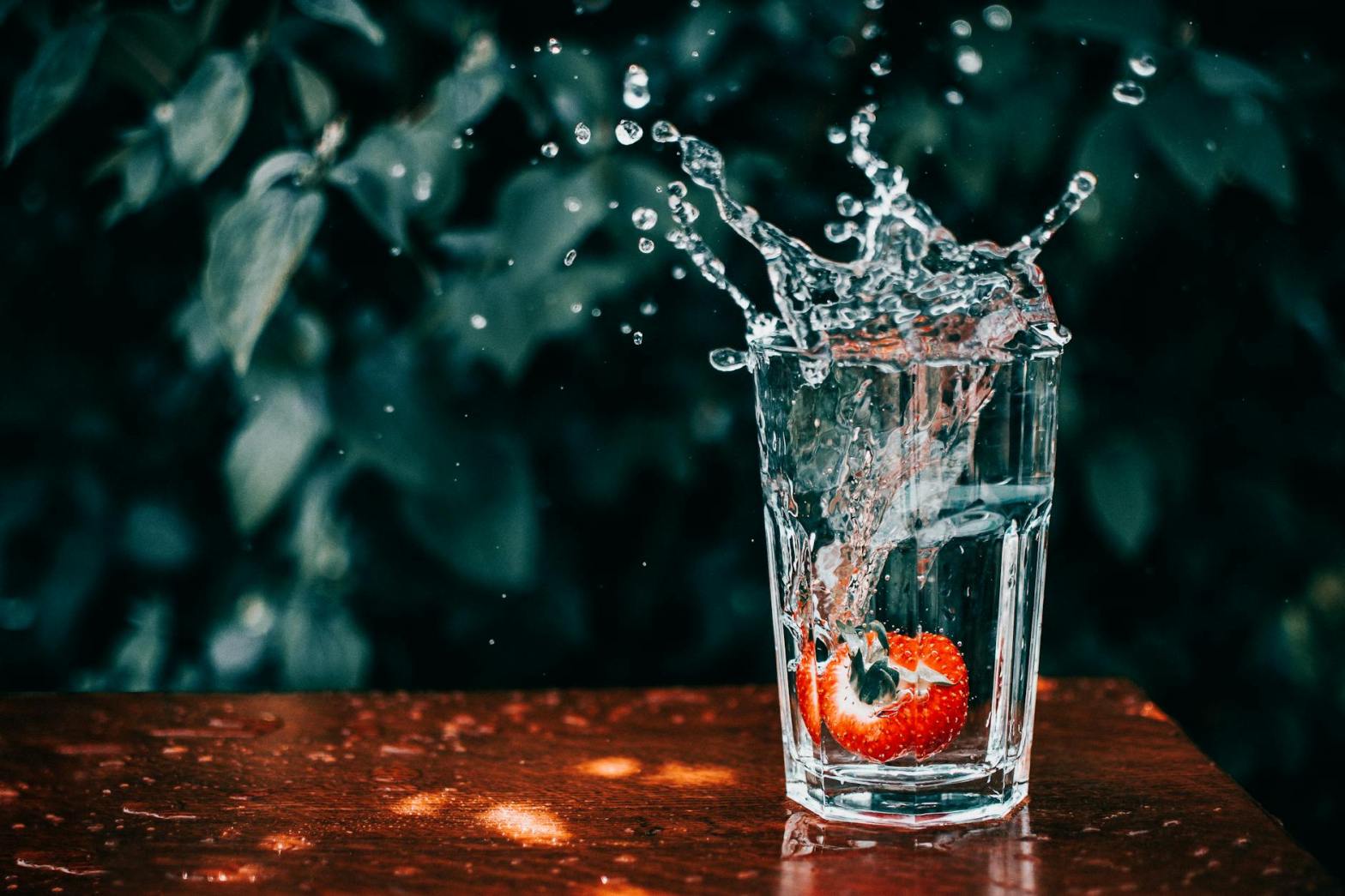
Low-Light Photography: Overcoming Challenges in Dim Environments

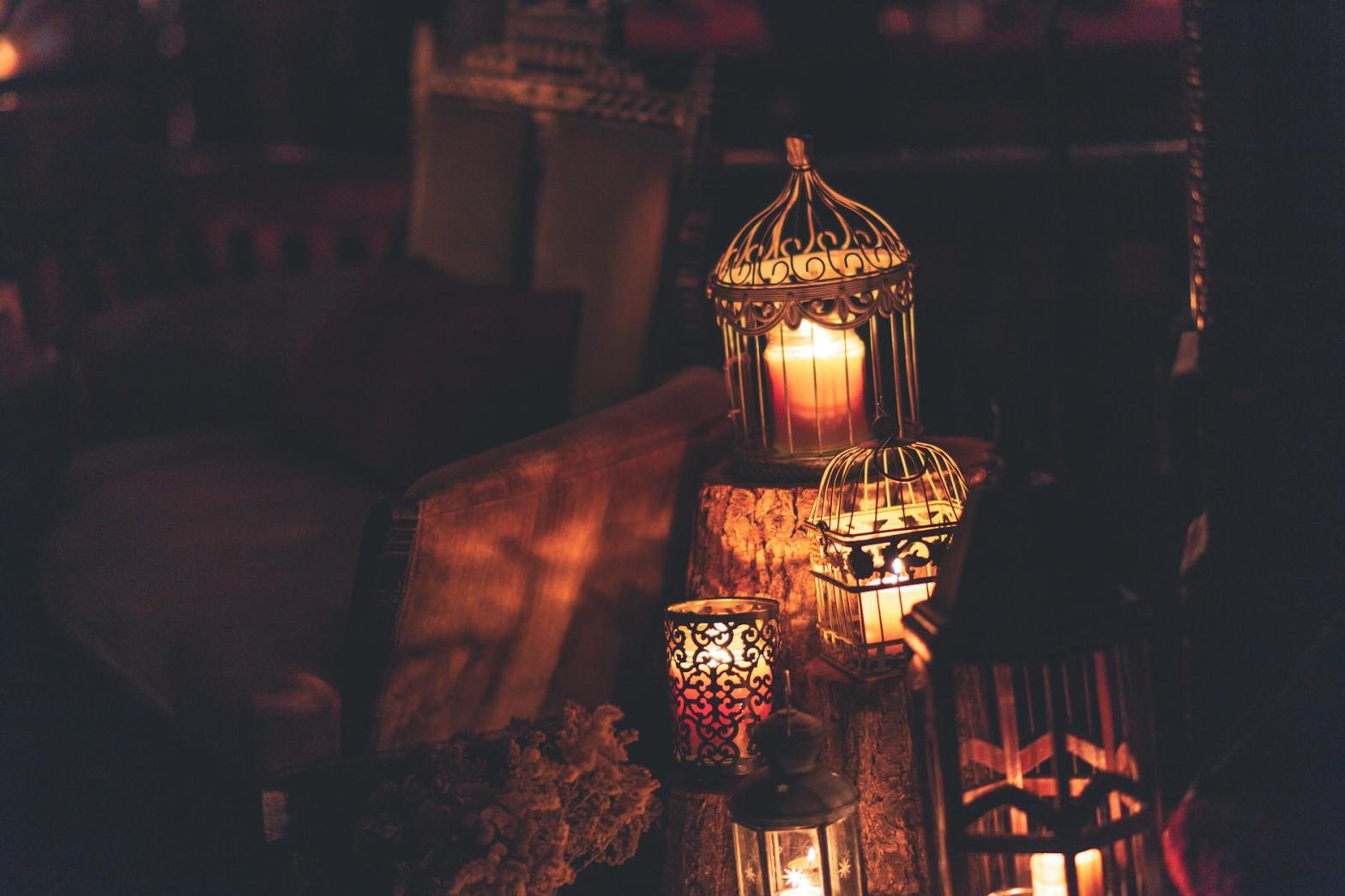
Low-light photography is a rewarding but challenging aspect of photography that tests a photographer’s technical skills and creative vision. Whether you’re capturing a cityscape at night, a candlelit dinner, or the stars above, mastering low-light techniques can unlock the beauty hidden in the shadows. This guide provides a comprehensive look at tools, techniques, and tips to excel in low-light conditions.


Understanding the Challenges of Low Light

Photographing in low-light scenarios presents unique challenges:

  1. Insufficient Light: Leads to underexposed images.
  2. Noise: Low light often forces higher ISO settings, increasing image grain.
  3. Camera Shake: Slower shutter speeds may introduce blur due to hand movement.
  4. Focus Issues: Autofocus systems may struggle in dim environments.

Despite these obstacles, proper techniques and equipment can help you create stunning low-light images.


Essential Camera Settings for Low-Light Photography

Understanding and adjusting your camera settings is the foundation of successful low-light photography.

1. Aperture: Letting in More Light

The aperture controls how much light enters the camera. For low-light situations:

  • Use a wide aperture (e.g., f/1.4 to f/2.8) to maximize light intake.
  • Prime lenses, which often feature wide apertures, are excellent for low-light shooting.

Pro Tip:

Be mindful of shallow depth of field when using wide apertures, as this can blur parts of the subject unintentionally.


2. ISO: Amplifying Light

ISO determines your camera sensor’s sensitivity to light.

  • Increase ISO to brighten the image in low light.
  • Modern cameras can handle high ISO settings (e.g., ISO 3200 or higher) with minimal noise, but experiment to find your camera’s limits.

Noise Management:

Use noise-reduction software like Adobe Lightroom to clean up images without sacrificing detail.


3. Shutter Speed: Finding Balance

A slower shutter speed allows more light to reach the sensor. However, this comes with the risk of motion blur.

  • Use a tripod to stabilize the camera for slower shutter speeds (e.g., 1 second or longer).
  • For handheld shots, try to keep shutter speed above the reciprocal of your focal length (e.g., 1/50 for a 50mm lens).

Creative Use:

Intentional motion blur, such as light trails, can add artistic flair to your shots.


4. Manual Focus for Precision

In low light, autofocus may struggle. Switching to manual focus gives you control.

Tips for Manual Focus:

  • Use live view or focus magnification features to ensure sharp focus.
  • Focus on high-contrast areas or light sources in the frame.

Equipment for Low-Light Photography

Having the right tools can make a significant difference in your low-light photography.

1. Tripods: Your Best Friend in Low Light

A tripod stabilizes your camera, allowing for longer exposures without introducing camera shake.

Features to Look For:

  • Lightweight and portable designs for travel.
  • Ball-head mounts for flexible adjustments.

2. Lenses: Bright and Versatile

Invest in fast lenses with wide maximum apertures (e.g., f/1.8 or f/1.4).

  • Prime Lenses: Often sharper and better for low light than zoom lenses.
  • Wide-Angle Lenses: Ideal for capturing more of the scene in dim environments like cityscapes or astrophotography.

3. External Lighting

Supplement natural light with artificial sources.

  • Speedlights: Portable flashes for controlled lighting.
  • LED Panels: Provide continuous light and are ideal for video and photography.

4. Remote Shutter Release

A remote shutter release minimizes vibrations during long exposures. Some cameras also offer mobile apps to control the shutter wirelessly.


Techniques for Stunning Low-Light Photos

Beyond settings and gear, mastering techniques is crucial.

1. Shoot in RAW

RAW files retain more data than JPEGs, allowing greater flexibility in post-processing. Adjust exposure, white balance, and noise reduction without losing quality.


2. Use Available Light Creatively

Look for existing light sources, such as streetlights, neon signs, or candles.

Tips:

  • Position your subject near the light source to reduce ISO needs.
  • Experiment with side lighting or backlighting for dramatic effects.

3. Light Painting

Use a flashlight or LED to “paint” light onto a subject during a long exposure.

How to Light Paint:

  • Set your camera on a tripod with a long exposure time (e.g., 10–30 seconds).
  • Use the light to highlight specific areas of the frame.

4. Astrophotography

Capturing the night sky requires specialized techniques.

  • Use a wide-angle lens with an aperture of f/2.8 or wider.
  • Set your shutter speed to the 500 rule: 500 divided by your focal length gives the maximum exposure time without star trails (e.g., 500 ÷ 20mm = 25 seconds).
  • Use a high ISO (e.g., ISO 3200) and shoot RAW for better detail.

5. Shoot During Blue Hour

The blue hour, just after sunset or before sunrise, provides soft, diffused light that enhances low-light scenes.


Composition Tips for Low-Light Photography

Strong composition is essential to elevate your low-light images.

1. Embrace Shadows

Use shadows to create mystery and depth in your images.


2. Include Reflections

Reflections on wet streets, glass, or water bodies can add texture and interest to your frame.


3. Simplify the Scene

Low light naturally emphasizes contrasts and shapes. Focus on key elements and avoid clutter.


4. Leading Lines

Use light trails, illuminated paths, or architectural elements to draw the viewer’s eye into the frame.


Post-Processing Low-Light Images

Post-processing is crucial to refine your low-light shots.

1. Exposure Adjustments

Recover details from shadows and highlights without overexposing.


2. Noise Reduction

Apply noise reduction selectively to avoid losing sharpness. Lightroom and Photoshop offer powerful noise-reduction tools.


3. Color Grading

Enhance the mood with careful adjustments to color balance, saturation, and contrast.


Common Challenges and How to Solve Them

1. Blurry Images

  • Solution: Use a tripod, faster shutter speed, or image stabilization.

2. Excessive Noise

  • Solution: Keep ISO within acceptable limits and apply noise reduction in post.

3. Focusing Issues

  • Solution: Use manual focus or focus on areas with more contrast.

Popular Low-Light Scenarios

1. Night Street Photography

Capture the energy of urban life with neon lights, car trails, and bustling streets.


2. Candlelit Portraits

Soft, warm light from candles creates intimate and atmospheric portraits.


3. Event Photography

Concerts, theater, or weddings often require quick adaptation to low light. Use fast lenses and burst mode to capture fleeting moments.


Conclusion

Low-light photography is as much about creativity as it is about technical precision. By understanding your camera’s capabilities, mastering key settings, and embracing the unique aesthetics of low-light environments, you can capture breathtaking images that transform darkness into art.

Practice, patience, and experimentation will help you turn challenges into opportunities for stunning photography. So venture out into the night, and let your camera unveil the beauty hidden in the shadows!


Action Shots: Freezing Motion and Capturing Dynamic Scenes

Action photography is all about energy, movement, and emotion. Whether you’re photographing a soccer game, a bird in flight, or a skateboarder performing tricks, capturing motion effectively requires a combination of technical skill, creative vision, and quick reflexes. This guide dives into techniques and tips for freezing motion and creating dynamic action shots that leap off the screen.


Understanding Motion in Photography

Motion in photography can be captured in two main ways:

  1. Freezing Motion: Stopping movement in its tracks, resulting in crisp, sharp images.
  2. Blurring Motion: Creating a sense of speed or fluidity by intentionally capturing movement as blur.

For action shots, freezing motion is often the goal, though some creative scenes benefit from intentional blur to convey speed. Let’s explore how to achieve each effect.


Freezing Motion: The Technical Essentials

Freezing motion requires controlling several camera settings to capture split-second moments with clarity.

1. Shutter Speed: The Key to Freezing Action

Shutter speed determines how long your camera’s sensor is exposed to light. To freeze motion, you need a very fast shutter speed, usually 1/500 second or faster.

  • General Guidelines:
    • Sports: Use 1/1000 second or faster for high-speed action like soccer, basketball, or track events.
    • Birds in Flight: Aim for 1/2000 second or faster to capture quick wing movements.
    • Everyday Motion: For children playing or casual street scenes, 1/500 second is usually sufficient.

Practical Tips:

  • Use your camera’s shutter priority mode (S or Tv) to control shutter speed directly.
  • Increase your ISO to allow for faster shutter speeds in low-light situations.

2. Autofocus: Keeping Up with the Action

Action photography requires precise and fast focusing to ensure your subject is sharp. Modern cameras offer advanced autofocus systems tailored for this purpose.

Autofocus Modes:

  • Continuous Autofocus (AI Servo/AF-C): Tracks moving subjects and adjusts focus dynamically.
  • Zone or Wide-Area AF: Lets the camera track subjects across a wider field of view, ideal for unpredictable movement.

Autofocus Tips:

  • Pre-focus on a spot where you anticipate the action will occur.
  • Use back-button focusing to separate focusing from the shutter button for greater control.

3. Burst Mode: Capturing the Perfect Moment

Sometimes the difference between a good action shot and a great one is a matter of milliseconds. Use burst mode (continuous shooting) to capture a sequence of images in rapid succession.

How to Use Burst Mode:

  • Enable the burst mode in your camera’s settings.
  • Hold the shutter button down to capture multiple frames as the action unfolds.

Pro Tip:

Choose the best shot later during post-processing. Look for dynamic poses, expressions, or peak moments of movement.


4. Stabilization and Support

While fast shutter speeds reduce motion blur, camera shake can still affect your shots. Use stabilization techniques to maintain sharpness.

Tools and Techniques:

  • Tripod or Monopod: A monopod offers stability without sacrificing mobility, especially for sports or wildlife.
  • Lens Stabilization: Many lenses have built-in optical stabilization to counteract minor movements.
  • Proper Handholding: Hold the camera with both hands, elbows tucked in, for maximum stability.

Composition for Dynamic Action Shots

Beyond technical settings, composition plays a critical role in creating impactful action photographs. A well-composed action shot tells a story and directs the viewer’s attention.

1. The Rule of Space

Leave space in the frame in front of the moving subject to emphasize direction and movement. For example:

  • A runner should have space to “run into.”
  • A car should have space ahead of it on the road.

2. Framing the Action

Use elements in the environment to frame the subject. For instance:

  • Capture a skateboarder through the railings of a staircase.
  • Frame a horse and rider between tree branches.

3. Capturing Expressions and Details

Focus on the subject’s face, hands, or other key details that convey emotion or action. Examples:

  • A soccer player’s intense expression during a goal attempt.
  • The splash of water droplets as a swimmer dives into the pool.

4. Include Context

Action shots can be more powerful when they show the environment. For instance:

  • Photograph a cyclist with the surrounding trail to highlight the terrain.
  • Include spectators to show the excitement of a sporting event.

Adding Motion Blur for Creative Effect

While freezing motion is common, deliberate motion blur can add drama and a sense of speed to your images.

1. Panning: Blurring the Background

Panning involves moving your camera along with the subject’s motion, keeping the subject sharp while blurring the background.

Steps to Pan Effectively:

  1. Select a slower shutter speed (e.g., 1/30 to 1/60 second).
  2. Focus on the subject and follow its motion smoothly.
  3. Press the shutter while continuing the motion.

Best for:

  • Cyclists, cars, or runners moving in a straight line.

2. Intentional Subject Blur

Capture movement trails by using a slower shutter speed while keeping the camera stationary. This technique works well for:

  • Dancers spinning or jumping.
  • Waves crashing on a shore.

Mastering Light for Action Shots

Light plays a significant role in action photography. The quality, direction, and intensity of light can either enhance or detract from your images.

1. Shooting in Natural Light

Natural light is ideal for most action photography, particularly during golden hour.

Tips:

  • Position yourself to capture sidelighting, which adds depth and dimension.
  • Use backlighting for dramatic silhouettes or rim lighting around the subject.

2. Using Artificial Light

For indoor action shots or low-light conditions, artificial lighting is often necessary.

Flash Photography:

  • Use an external flash to freeze motion indoors.
  • Consider using high-speed sync (HSS) to capture fast-moving subjects with flash.

3. Dealing with Shadows

Shadows can add drama but may also obscure details. Use fill light or reflectors to soften harsh shadows when necessary.


Action Photography in Different Scenarios

Let’s look at some popular action photography scenarios and how to approach them.

1. Sports Photography

  • Positioning: Stand at an angle where you can see the athlete’s face and the action clearly.
  • Lenses: Use telephoto lenses (e.g., 70–200mm) for distant action.
  • Settings: Shoot at 1/1000 second or faster to freeze the action.

2. Wildlife Photography

  • Patience is Key: Wait for the perfect moment, whether it’s a bird taking off or a deer leaping.
  • Silent Mode: Use your camera’s silent shooting mode to avoid startling animals.
  • Focus: Use single-point autofocus to lock onto fast-moving subjects.

3. Street Action

  • Spontaneity: Look for unplanned moments like a cyclist passing or a child running.
  • Environment: Include street signs, buildings, or bystanders to add context.

4. Adventure Photography

  • Dynamic Angles: Get creative with angles, such as shooting from below a climber or above a kayaker.
  • Weather: Embrace natural elements like rain or snow to add drama.

Post-Processing Action Shots

Post-processing is essential for refining and enhancing action photos.

1. Sharpening

Enhance the subject’s details, especially in sports or wildlife shots.

2. Cropping for Impact

Remove distractions and tighten the composition to emphasize the action.

3. Adjusting Colors and Contrast

Boost saturation and contrast to make the image pop.


Conclusion

Action photography combines technical precision with artistic creativity. By mastering shutter speed, autofocus, and composition, you can freeze moments of high energy and emotion. Whether you’re capturing a sports game, wildlife in motion, or street activity, the key is to anticipate the action and be ready to adapt.

Through practice, experimentation, and attention to detail, you’ll develop the skills to create dynamic action shots that tell powerful stories. So grab your camera, find the action, and start shooting!


Manual Mode: Taking Control of Your Camera

Photography is as much a technical skill as it is an art form, and mastering your camera settings is a critical step in achieving creative control over your images. At the heart of this control lies Manual Mode, a feature that empowers photographers to make deliberate decisions about exposure, focus, and artistic expression. In this chapter, we will delve into the intricacies of Manual Mode, equipping you with the knowledge and confidence to harness its full potential.


What is Manual Mode?

Manual Mode is a camera setting that places all exposure decisions—aperture, shutter speed, and ISO—into the hands of the photographer. Unlike Auto Mode, where the camera calculates these settings, Manual Mode allows you to override automatic functions and tailor your images according to your vision.


The Core Elements of Manual Mode

1. Aperture

Aperture refers to the opening in the lens that allows light to pass through to the camera sensor. Measured in f-stops, aperture not only controls the amount of light entering the camera but also determines the depth of field.

Key Considerations:

  • Wide Aperture (Low f-number, e.g., f/1.8): Allows more light in, resulting in a shallow depth of field (blurry background). Ideal for portraits and low-light scenarios.
  • Narrow Aperture (High f-number, e.g., f/16): Allows less light, resulting in a greater depth of field (sharp from foreground to background). Perfect for landscapes and architectural photography.

Practical Exercise: Experiment with different aperture settings in Manual Mode. Capture the same subject with varying f-stops to observe how the background blur changes.


2. Shutter Speed

Shutter speed controls the length of time the camera’s sensor is exposed to light. Measured in fractions of a second (e.g., 1/250), it determines motion blur or freezing action in your photos.

Key Considerations:

  • Fast Shutter Speed (e.g., 1/1000): Freezes motion, ideal for action shots like sports or wildlife.
  • Slow Shutter Speed (e.g., 1/10): Captures motion blur, suitable for creative effects like light trails or flowing water.

Practical Exercise: Use a tripod and capture a waterfall at various shutter speeds to see how the movement of water changes from frozen to silky smooth.


3. ISO

ISO measures the camera sensor’s sensitivity to light. A lower ISO (e.g., 100) produces less noise and is ideal for bright conditions. A higher ISO (e.g., 3200) increases sensitivity, useful in low-light situations but at the cost of added noise.

Key Considerations:

  • Low ISO: Provides cleaner images with minimal grain but requires more light.
  • High ISO: Enables shooting in dim environments but introduces noise.

Practical Exercise: Take a series of photos in dim lighting, gradually increasing the ISO to understand how it affects image quality.


How the Exposure Triangle Comes into Play

Manual Mode is the playground of the Exposure Triangle: the interplay of aperture, shutter speed, and ISO. Adjusting one component necessitates compensatory changes in the others to maintain proper exposure.

Example Scenario:

  • If you widen the aperture (e.g., f/2.8) to let in more light, you might need to use a faster shutter speed to prevent overexposure.
  • Conversely, if you’re shooting in low light with a narrow aperture (e.g., f/11), you can increase ISO or slow the shutter speed to achieve proper exposure.

Practical Exercise: Choose a static subject and take three shots:

  1. Balanced exposure using default settings.
  2. Adjust one element (e.g., widen aperture) and compensate by changing another (e.g., increase shutter speed).
  3. Overexpose and underexpose intentionally to observe the effects.

Why Manual Mode Matters

Creative Freedom

Manual Mode liberates you from the constraints of pre-determined settings, enabling you to:

  • Control depth of field for artistic effects.
  • Manipulate motion blur to add drama.
  • Choose exposure levels for high-contrast or low-key shots.

Consistency

In challenging lighting conditions, Manual Mode provides consistent results that Auto Mode may struggle to achieve, such as:

  • Backlit scenes.
  • Studio lighting setups.
  • Low-light environments.

Skill Development

Using Manual Mode enhances your understanding of photography fundamentals. Over time, you’ll develop an intuitive sense for exposure settings, making adjustments on the fly.


Tips for Success in Manual Mode

Start with the Basics

Begin by mastering each component of the Exposure Triangle individually. Gradually experiment with combining them.

Use the Light Meter

Your camera’s built-in light meter is a valuable tool for gauging exposure. In Manual Mode, it provides feedback on whether your image is underexposed, overexposed, or correctly exposed.

Practical Tip: Aim for a balanced meter reading, but don’t be afraid to override it for creative reasons.

Shoot in RAW Format

RAW files retain more image data, allowing greater flexibility in post-processing. This is particularly useful if your manual settings aren’t perfect.

Practice in Controlled Environments

Experimenting indoors or in stable lighting conditions helps you focus on settings without external distractions.

Analyze Your Photos

Review your images on a larger screen to identify patterns in your settings. Use metadata to learn from your successes and mistakes.


Overcoming Common Challenges

Balancing Exposure

Achieving the perfect balance can be tricky. Bracketing—taking multiple shots at slightly different exposures—helps you determine the best settings.

Dealing with Low Light

Use a tripod and slower shutter speed to avoid noise from high ISO settings. Add external lighting or reflectors when necessary.

Managing Motion Blur

Stabilize your camera with a tripod or increase shutter speed to eliminate unwanted blur. For intentional blur, pan with the subject to create a sense of motion.


Manual Mode for Different Scenarios

Portraits

  • Wide aperture for blurred backgrounds.
  • Low ISO for cleaner images.
  • Adjust shutter speed to avoid camera shake.

Landscapes

  • Narrow aperture for greater depth of field.
  • Use a tripod and slower shutter speed for sharp details.
  • Low ISO for minimal noise.

Action and Sports

  • Fast shutter speed to freeze motion.
  • Moderate ISO for flexibility in changing light.
  • Adjust aperture to balance depth of field and exposure.

Night Photography

  • High ISO to capture light without flash.
  • Slow shutter speed with a tripod.
  • Manual focus for precise control.

Conclusion

Mastering Manual Mode transforms you from a passive observer into an active creator. By taking control of aperture, shutter speed, and ISO, you’ll unlock a world of creative possibilities and develop a deeper connection to your craft. Practice is key—start small, experiment boldly, and watch your photography evolve.

The Exposure Triangle

The exposure triangle is the cornerstone of photography, encompassing three critical elements: aperture, shutter speed, and ISO. Mastering these components is essential for creating well-exposed images and unlocking creative possibilities in your photography. This chapter delves into each component, their relationships, and how to balance them effectively.

Understanding Exposure

Exposure refers to the amount of light that reaches the camera sensor, determining how bright or dark an image appears. The exposure triangle—aperture, shutter speed, and ISO—works together to control this light. Adjusting any one of these elements affects the others, making it vital to understand their interplay.


1. Aperture

Aperture refers to the opening in the lens through which light passes. Measured in f-stops, aperture sizes directly influence the amount of light entering the camera and the depth of field in an image.

Key Concepts

  • F-Stop Numbers: The f-stop scale (e.g., f/1.4, f/2.8, f/5.6, f/11) represents the size of the aperture. Smaller f-stop numbers indicate larger apertures, allowing more light, while larger f-stop numbers represent smaller apertures, allowing less light.
  • Depth of Field: Aperture size determines how much of the image is in focus. Larger apertures (smaller f-stops) create a shallow depth of field, isolating the subject by blurring the background. Smaller apertures (larger f-stops) result in a greater depth of field, keeping more of the scene in focus.

Practical Applications

  • Portraits: Use wide apertures (e.g., f/1.8) for soft, blurred backgrounds that make the subject stand out.
  • Landscapes: Use narrow apertures (e.g., f/11) for sharp details across the entire scene.

Challenges

  • Light Control: A wide aperture may result in overexposed images in bright conditions. Use ND filters or adjust other settings to compensate.
  • Lens Limitations: Not all lenses can achieve extremely wide or narrow apertures.

2. Shutter Speed

Shutter speed refers to the length of time the camera’s shutter remains open, allowing light to reach the sensor. Measured in seconds or fractions of a second, shutter speed affects motion in an image.

Key Concepts

  • Fast Shutter Speeds: Short durations (e.g., 1/1000s) freeze motion, ideal for sports and wildlife photography.
  • Slow Shutter Speeds: Longer durations (e.g., 1/10s or longer) capture motion blur, great for creative effects like light trails or silky waterfalls.
  • Bulb Mode: Allows the shutter to stay open as long as the shutter button is pressed, useful for long exposures like astrophotography.

Practical Applications

  • Action Shots: Use fast shutter speeds (e.g., 1/500s or faster) to freeze fast-moving subjects.
  • Creative Blur: Experiment with slow shutter speeds (e.g., 1/30s or slower) for artistic effects.
  • Low-Light: Combine slow shutter speeds with a tripod to capture detailed images in dim conditions.

Challenges

  • Camera Shake: Slow shutter speeds may result in blurry images due to hand movement. Use a tripod or image stabilization.
  • Limited Light: Fast shutter speeds may underexpose images in low light.

3. ISO

ISO refers to the camera sensor’s sensitivity to light. Adjusting ISO levels impacts the brightness of an image and the amount of digital noise.

Key Concepts

  • Low ISO: Values like ISO 100 or 200 produce cleaner images with minimal noise, ideal for well-lit conditions.
  • High ISO: Values like ISO 1600 or higher brighten images in low light but introduce more noise.

Practical Applications

  • Bright Scenes: Use low ISO settings to maintain optimal image quality.
  • Dim Scenes: Increase ISO to capture details in low light when aperture and shutter speed adjustments are insufficient.

Challenges

  • Noise: Higher ISO settings introduce graininess, especially in shadows and dark areas. Post-processing can mitigate some noise, but image quality may still suffer.

Balancing the Exposure Triangle

Achieving a well-exposed image requires balancing aperture, shutter speed, and ISO. Changing one element impacts the others, so understanding their interactions is crucial.

Example Scenarios

  1. Bright Outdoor Scene:
    • Aperture: f/8 (narrow aperture for depth of field)
    • Shutter Speed: 1/1000s (fast to prevent overexposure)
    • ISO: 100 (low for maximum image quality)
  2. Indoor Portrait:
    • Aperture: f/2.8 (wide aperture for background blur)
    • Shutter Speed: 1/100s (fast enough to avoid motion blur)
    • ISO: 800 (higher to compensate for low light)
  3. Night Landscape:
    • Aperture: f/4 (moderate for star detail and depth)
    • Shutter Speed: 30s (long exposure for light trails)
    • ISO: 1600 (high to capture ambient light)

Creative Uses of the Exposure Triangle

Beyond achieving proper exposure, manipulating the exposure triangle enables creative control over your photography.

Motion Effects

  • Use slow shutter speeds to capture motion blur in waterfalls, clouds, or car lights.
  • Freeze action with fast shutter speeds to highlight sharp details in sports.

Depth of Field

  • Isolate a subject with a shallow depth of field using a wide aperture.
  • Capture expansive scenes with maximum detail using a narrow aperture.

Noise and Texture

  • Embrace high ISO settings for gritty, atmospheric shots in dim environments.
  • Preserve clean, noise-free images in bright conditions with low ISO.

Tools to Aid Exposure

Modern cameras and accessories provide tools to help manage exposure:

Light Meters

Built-in light meters suggest optimal exposure settings based on the scene’s lighting conditions. Learn to read and adjust these settings manually for precision.

Exposure Compensation

Adjust exposure in-camera without altering aperture, shutter speed, or ISO directly. This is useful for tricky lighting situations.

Histogram

The histogram displays a graphical representation of brightness levels in an image. A balanced histogram helps prevent overexposed highlights or underexposed shadows.


Practice Exercises

  1. Aperture Priority Mode: Experiment with depth of field by shooting the same subject at different f-stop settings.
  2. Shutter Priority Mode: Capture motion blur and freeze action by adjusting shutter speeds.
  3. ISO Sensitivity: Shoot in low light, gradually increasing ISO to observe noise levels.
  4. Manual Mode: Balance all three settings to achieve different creative effects.

Listen to the podcast here –


Conclusion

Mastering the exposure triangle is a foundational skill in photography. By understanding and balancing aperture, shutter speed, and ISO, you gain control over your images’ technical and artistic aspects. Practice regularly, experiment with settings, and use the exposure triangle as a tool to transform your creative vision into stunning photographs.