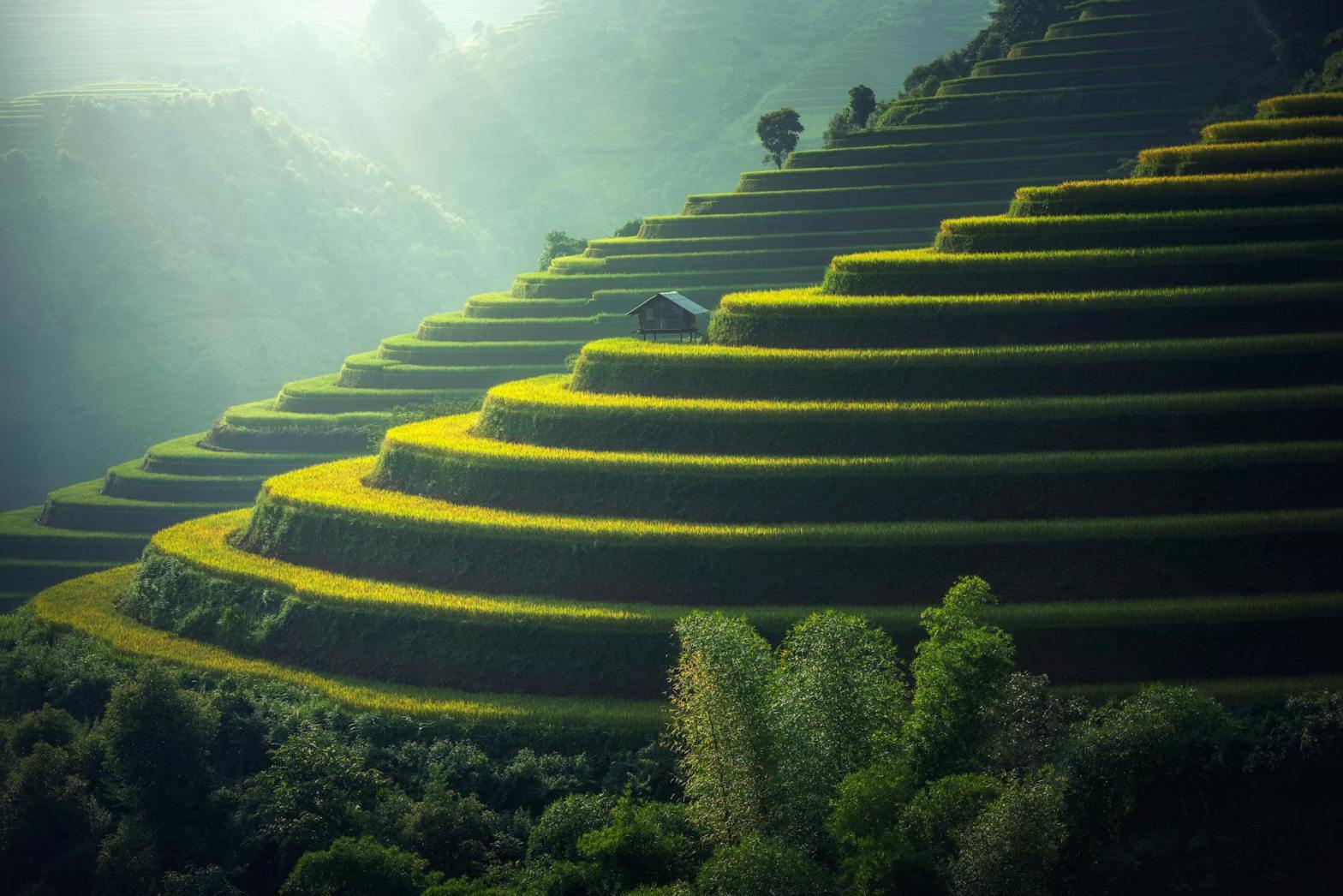
Landscape Photography: Utilizing Depth and Perspective

Landscape photography is one of the most awe-inspiring genres in the photographic arts. It allows photographers to capture the grandeur, tranquility, or even the raw intensity of the natural world. At its core, landscape photography is about telling a story of a place—its scale, mood, and beauty. A key to mastering this genre is using depth and perspective to transform flat, two-dimensional images into immersive scenes that pull the viewer into the frame.

In this guide, we’ll explore advanced techniques for using depth, perspective, composition, and lighting to elevate your landscape photography.


The Foundations of Landscape Photography

Before diving into creative techniques, let’s cover some basic principles that form the foundation of stunning landscape photography:

  • Subject and Focal Point: Every great landscape image needs a point of interest—be it a mountain, tree, or winding path—to guide the viewer’s eye.
  • Lighting: Natural light, particularly during the golden hour (just after sunrise or before sunset), plays a pivotal role in landscape photography.
  • Patience: Great landscapes often require waiting for the perfect moment when the light, weather, and composition align.

Once these essentials are in place, you can begin experimenting with depth and perspective to bring your landscapes to life.


Creating Depth in Landscape Photography

Depth in photography is about making a flat image feel three-dimensional. By giving the viewer a sense of distance and scale, you can create more engaging and immersive photographs.

1. Foreground, Middleground, and Background

One of the simplest ways to create depth is by incorporating distinct layers into your composition:

  • Foreground: Adds interest and anchors the scene. Rocks, flowers, or streams can serve as excellent foreground elements.
  • Middleground: Often contains the main subject, like a mountain or a field.
  • Background: Completes the composition with distant elements like the sky, clouds, or horizon.

Practical Tips:

  • Use a wide-angle lens to exaggerate the spatial relationship between foreground and background elements.
  • Position your camera low to the ground to emphasize the foreground.

2. Leading Lines

Leading lines are natural or man-made elements that guide the viewer’s eye through the photograph, creating a sense of depth and movement. Examples include:

  • Roads, trails, or fences.
  • Rivers, streams, or shorelines.
  • Lines formed by shadows or patterns in the landscape.

How to Use Leading Lines:

  • Align the lines to converge toward the main subject, directing the viewer’s attention.
  • Experiment with diagonal or curving lines for a dynamic composition.

3. Layering with Atmosphere

Atmospheric elements like mist, fog, or haze can naturally separate layers in your landscape, adding depth and mood.

  • Fog and Mist: Creates a sense of mystery and softens distant elements.
  • Haze: Adds a gradual transition in tone and color, especially in mountain ranges.

Pro Tip:

Photograph during early morning or late evening when atmospheric effects are more pronounced.


4. Focus Techniques: Depth of Field

Depth of field (DoF) determines how much of your image is in sharp focus. In landscape photography, you often want a deep depth of field to keep everything from the foreground to the background sharp.

Achieving Maximum Depth of Field:

  • Use a small aperture (f/8 to f/16) to increase the DoF.
  • Focus about one-third of the way into the scene (hyperfocal distance) to maximize sharpness across the frame.
  • Use a tripod to compensate for the slower shutter speeds required by small apertures.

Utilizing Perspective in Landscape Photography

Perspective is how objects appear in relation to one another. Playing with perspective can dramatically alter the impact of your landscape photographs.

1. Wide-Angle Perspective

Wide-angle lenses exaggerate the scale and distance between objects, making foreground elements appear larger and more prominent. This technique works well when you want to emphasize intricate details in the foreground.

Techniques for Wide-Angle Landscapes:

  • Move closer to foreground objects to fill the frame.
  • Ensure the foreground elements are visually interesting, as they will dominate the scene.

2. Compressed Perspective

Telephoto lenses compress the distance between objects, making distant mountains or trees appear closer together. This technique is excellent for isolating specific parts of the landscape and creating a more intimate feel.

When to Use Compressed Perspective:

  • Highlight layers in the landscape, such as ridges or waves.
  • Create a sense of scale by juxtaposing large and small elements.

3. Point of View (POV)

Changing your camera’s position can significantly affect perspective and add variety to your landscapes.

Creative POV Ideas:

  • Low Angle: Place your camera near the ground to emphasize textures in the foreground.
  • High Angle: Climb to a higher vantage point to showcase the vastness of the scene.
  • Tilted Frame: Slightly tilting the camera can create dynamic, unconventional compositions.

Mastering Composition for Impactful Landscapes

Composition is the backbone of compelling landscape photography. By thoughtfully arranging elements in the frame, you can create harmony and balance.

1. The Rule of Thirds

Divide your frame into nine equal parts using two horizontal and two vertical lines. Place key elements (horizons, mountains, or trees) along these lines or at their intersections.

2. Golden Ratio

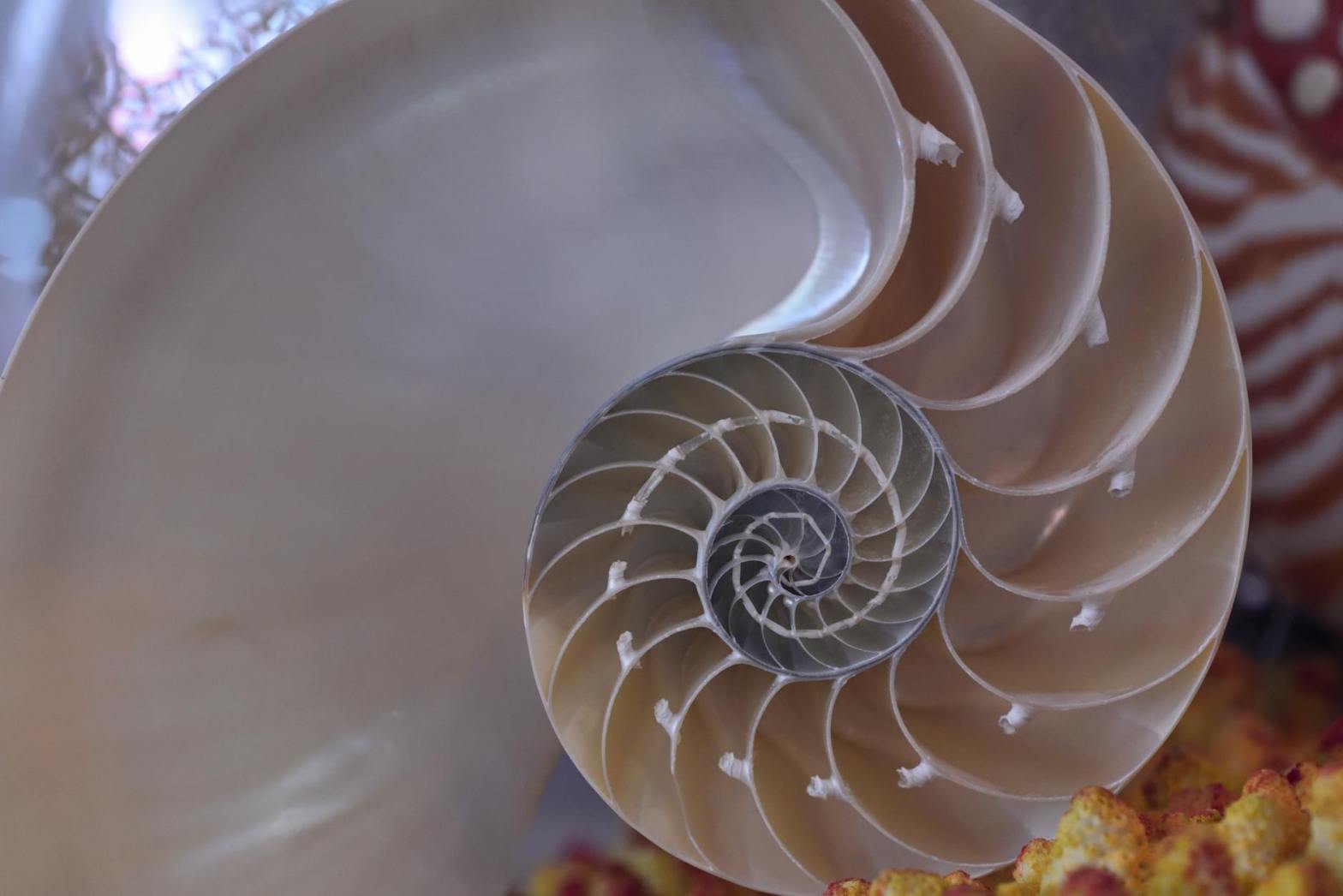
The golden ratio is a more advanced compositional technique that uses a spiral or grid to position elements in a naturally pleasing way.


3. Framing

Use natural elements like archways, tree branches, or cave openings to frame the scene. This draws the viewer’s attention and adds depth.


4. Negative Space

Leave empty areas in the frame to create a sense of simplicity and scale. A vast sky or an open field can evoke feelings of freedom and solitude.


Harnessing Light for Landscape Photography

Lighting is arguably the most critical factor in landscape photography. The right light can transform an ordinary scene into something extraordinary.

1. Golden Hour and Blue Hour

  • Golden Hour: Offers soft, warm light that enhances textures and colors.
  • Blue Hour: The period just before sunrise or after sunset, when the sky takes on a deep blue hue.

2. Backlighting

Photographing with the sun behind your subject can create stunning silhouettes or rim lighting on trees, leaves, or mountains.

3. Side Lighting

Side lighting adds depth and dimension by casting long shadows across the landscape.


Advanced Techniques for Landscape Photography

1. Long Exposures

Use long exposure settings to capture motion, such as flowing water, moving clouds, or star trails.

  • Use a neutral density (ND) filter to reduce light and allow for longer shutter speeds during the day.
  • Keep the camera steady with a tripod to prevent unwanted blur.

2. Panoramas

For expansive landscapes, stitch multiple images together to create a panoramic photograph. This is especially useful for scenes with wide vistas or dramatic skylines.


3. HDR Photography

High Dynamic Range (HDR) photography involves combining multiple exposures to balance highlights and shadows, particularly in high-contrast scenes.


Post-Processing for Depth and Perspective

Editing plays a vital role in fine-tuning your landscape images.

1. Enhancing Depth

  • Adjust contrast and clarity selectively to emphasize layers in the scene.
  • Use gradients to darken the sky and add dimension to the image.

2. Perspective Corrections

  • Straighten horizons and correct lens distortions for a polished look.

3. Color Grading

  • Warm tones can enhance sunsets, while cool tones work well for serene, moody landscapes.

Conclusion

Landscape photography is both a technical and artistic endeavor. By mastering depth and perspective, you can elevate your work from simply documenting a scene to creating breathtaking images that evoke emotion and wonder. Experiment with composition, lighting, and advanced techniques to develop your unique style and capture the beauty of the world around you.

Remember, the most important element in landscape photography is your connection to the scene. Let that passion guide your creativity, and the results will shine in your photographs.

White Balance

Introduction to White Balance

White balance (WB) is a fundamental concept in photography that ensures colors appear natural under different lighting conditions. While it might seem like a minor detail, mastering white balance can transform your images from lackluster to vibrant. This chapter dives deep into understanding white balance, its importance, and how to use it effectively to enhance your photography.

What is White Balance?

White balance refers to the camera’s ability to adjust colors in your image to match the color temperature of the light source. Every light source has a specific color temperature, measured in Kelvin (K), which affects the hue of the light:

  • Warm light (e.g., incandescent bulbs) appears orange or yellow.
  • Cool light (e.g., daylight or fluorescent lighting) leans toward blue.

For instance, if you photograph a white object under warm indoor lighting, it may appear yellowish unless the camera compensates for the light’s warmth. Proper white balance ensures that white areas in the image look true to life, with other colors following suit.

Why White Balance Matters

White balance directly influences the mood, tone, and realism of your photos. An incorrect white balance can make a scene feel unnatural or evoke unintended emotions. For example:

  • Too Warm: Colors might look overly orange, losing detail and appearing unbalanced.
  • Too Cool: The scene might feel sterile or uninviting, with blue tints dominating the image.

By mastering white balance, photographers gain control over how colors are rendered, allowing them to preserve the authenticity of the scene or creatively adjust it for artistic effect.


White Balance Settings

Most cameras provide various white balance presets and a custom WB option to suit different scenarios. Here’s a breakdown of common presets:

1. Auto White Balance (AWB)

This is the default mode in most cameras, where the camera analyzes the scene and selects a white balance setting automatically.

  • Advantages:
    • Convenient and fast for changing conditions.
    • Works well in natural daylight or mixed lighting situations.
  • Limitations:
    • Struggles in extreme lighting conditions, such as strong artificial light or very warm/cool light sources.
    • Can lead to inconsistent results when shooting multiple images in the same environment.

2. Daylight

Designed for shooting under clear, sunny skies. This setting neutralizes the cooler tones of daylight, making colors appear natural.

  • Best for: Outdoor photography in direct sunlight.
  • Note: It may not work well in shaded or cloudy conditions.

3. Cloudy

Adds a slight warmth to counteract the cooler tones of overcast lighting.

  • Best for: Outdoor photography in cloudy or diffused light conditions.
  • Effect: Produces warmer, richer tones compared to the Daylight setting.

4. Shade

Designed to compensate for the cool tones often found in shaded areas, even on sunny days.

  • Best for: Portraits or subjects in the shade.
  • Effect: Warms up the image to create more natural and inviting tones.

5. Tungsten (Incandescent)

Adjusts for the warm, orange hues emitted by indoor tungsten lighting.

  • Best for: Shooting indoors with traditional light bulbs.
  • Effect: Produces neutral tones, but can make outdoor photos appear overly blue.

6. Fluorescent

Corrects for the cool or greenish cast of fluorescent lights.

  • Best for: Indoor photography under fluorescent lighting.
  • Effect: Creates a more balanced, neutral color palette.

7. Flash

Optimized for use with on-camera flash, which can produce slightly cool light.

  • Best for: Portraits or events using flash.
  • Effect: Warms up the scene to counteract the cool light of the flash.

8. Custom White Balance

Allows photographers to manually set the white balance using a reference image or gray card.

  • Advantages:
    • Precision in challenging lighting situations.
    • Ensures consistency across multiple images.
  • Limitations:
    • Requires extra steps and knowledge to use effectively.

Understanding Color Temperature

Color temperature is a key factor in white balance, influencing how warm or cool a photo appears. Below are typical color temperatures for common lighting conditions:

Light SourceApprox. Kelvin (K)Appearance
Candlelight1,500 KVery warm
Tungsten bulb2,700–3,200 KWarm/yellowish
Sunrise/Sunset3,000–4,000 KGolden tones
Fluorescent lights4,000–5,000 KNeutral/cool
Daylight (noon)5,000–6,500 KNeutral
Overcast/cloudy skies6,500–8,000 KCool/blue
Shade7,000–10,000 KVery cool

A deeper understanding of these values helps photographers adjust white balance manually when needed.


White Balance in Creative Photography

While accurate white balance is essential for realism, deviating from standard settings can enhance creativity.

1. Intensifying Mood

  • Warm Tones: Use settings like Shade or Cloudy to enhance warmth and create a cozy, inviting mood.
  • Cool Tones: Apply Tungsten or adjust the WB manually to evoke a sense of calm, mystery, or detachment.

2. Color Accents

Deliberately incorrect white balance can emphasize certain colors, such as making skies bluer or sunset hues more dramatic.

3. Black and White Photography

White balance can subtly influence the tonal range of black-and-white photos. Experiment with different settings to see how they affect contrast and brightness.


White Balance in Post-Processing

If your images don’t turn out as expected, post-processing software offers tools to adjust white balance:

1. Raw vs. JPEG Files

  • RAW: Retains all color data, allowing greater flexibility to tweak white balance without degrading image quality.
  • JPEG: Changes to white balance are more limited and can result in quality loss.

2. Tools in Editing Software

  • Temperature Slider: Adjusts the warmth or coolness of the image.
  • Tint Slider: Balances green and magenta tones.
  • Eyedropper Tool: Select a neutral gray or white point in the image to set the white balance automatically.

Popular software like Adobe Lightroom, Photoshop, and Capture One simplifies these adjustments, giving photographers control even after the shot is taken.


Tips for Mastering White Balance

  1. Understand Your Light Source: Identify the dominant light source and its color temperature before shooting.
  2. Use a Gray Card: A gray card helps set custom white balance accurately by providing a neutral reference point.
  3. Shoot in RAW: Always shoot in RAW to retain maximum flexibility for adjusting white balance during editing.
  4. Experiment with Presets: Familiarize yourself with how each white balance preset affects your images.
  5. Check Your Histogram: Extreme color casts can affect exposure readings, so use the histogram to verify balance.
  6. Take Test Shots: For critical shoots, take test shots with different white balance settings to compare results.

Conclusion

White balance is a subtle yet powerful tool in photography that ensures colors remain true to life or are creatively manipulated to enhance the image. By understanding the principles of color temperature and practicing with various settings, photographers can elevate their work to professional standards. Whether you’re aiming for naturalism or artistic expression, mastering white balance is a skill that will unlock new dimensions in your photographic journey.


Focus Techniques: Autofocus vs. Manual Focus

Focus is one of the most critical aspects of photography. Without proper focus, even the most beautifully composed and perfectly exposed photographs can fall flat. To achieve sharp, captivating images, it is essential to understand focus techniques, particularly the use of autofocus (AF) and manual focus (MF). Each method has its strengths and weaknesses, and knowing when and how to use them will elevate your photography.


Understanding Focus

Focus refers to the process of adjusting the lens to render the subject sharp and clear in the final image. It determines which part of the image appears sharpest, creating a focal point for the viewer. Modern cameras offer both autofocus and manual focus capabilities, providing photographers with flexibility.

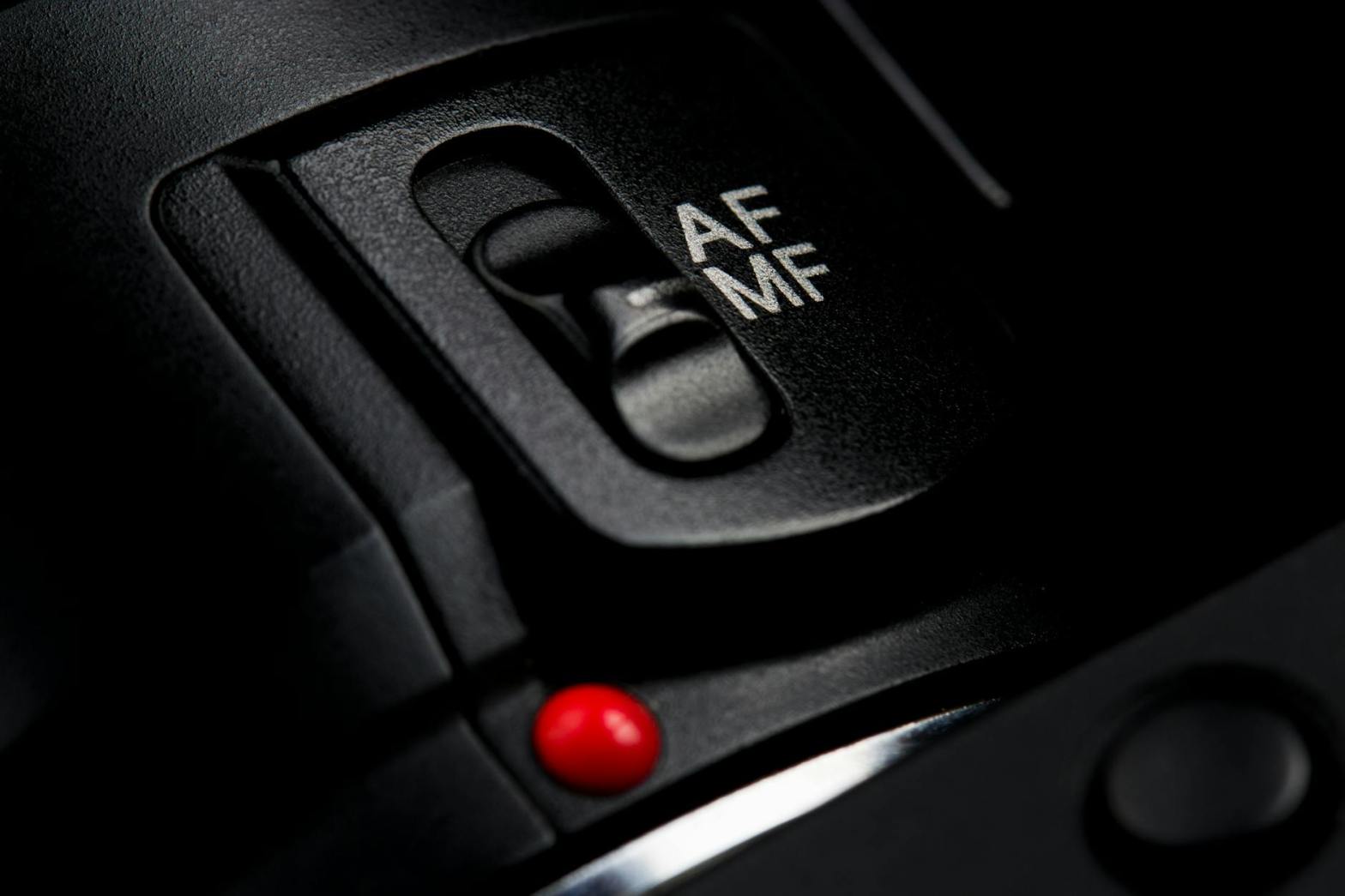
Autofocus relies on the camera’s internal systems to determine and lock focus on a subject. In contrast, manual focus allows the photographer to control the focus by physically adjusting the lens. The choice between these two methods depends on the subject, shooting conditions, and your creative intent.


Autofocus (AF)

Autofocus systems are designed to quickly and accurately focus on a subject, making them indispensable for many types of photography. Autofocus can be broken down into two main types: phase detection and contrast detection.

How Autofocus Works

  1. Phase Detection:
    • Common in DSLRs and advanced mirrorless cameras, phase detection compares two images captured by the camera sensor to calculate focus. It is fast and effective, especially in well-lit conditions.
  2. Contrast Detection:
    • Found in many mirrorless and compact cameras, this method analyzes the image directly on the sensor to find the point of highest contrast, indicating sharp focus. While highly accurate, it can be slower, particularly in low light.

Autofocus Modes

Modern cameras offer a variety of autofocus modes tailored to different scenarios:

  1. Single-Point AF:
    • The camera focuses on a single point chosen by the photographer. Ideal for stationary subjects like portraits or still-life photography.
  2. Zone AF:
    • Focuses on a broader area, useful when photographing moving subjects like wildlife or sports.
  3. Tracking AF (Continuous AF):
    • Continuously adjusts focus to follow a moving subject, perfect for action shots or video recording.
  4. Eye/Face Detection AF:
    • Specifically designed to detect and lock focus on human or animal eyes, ensuring portraits are sharp and engaging.

Advantages of Autofocus

  • Speed and Convenience: Modern autofocus systems are incredibly fast, making them ideal for capturing fleeting moments.
  • Accuracy with Technology: Features like eye detection and subject tracking ensure precision.
  • Ease of Use: Perfect for beginners or situations where manual focus adjustments are impractical.

Challenges of Autofocus

  • Low-Light Performance: Autofocus may struggle in dim lighting or low-contrast scenes.
  • Specific Focal Points: The camera’s autofocus system might not lock onto the exact subject you want.
  • Creative Limitations: In some situations, autofocus may not allow the level of control required for specific artistic effects.

Manual Focus (MF)

Manual focus puts the photographer in full control of the focusing process. While it requires more skill and time, it offers unparalleled precision and creative flexibility.

How Manual Focus Works

Using manual focus involves rotating the focus ring on the lens to adjust the focus distance. Many modern cameras assist with manual focusing through tools like focus peaking and magnified views on the screen or electronic viewfinder.

When to Use Manual Focus

  1. Low-Light Conditions:
    • Autofocus often struggles in dim environments. Manual focus allows you to achieve clarity even in challenging lighting.
  2. Macro Photography:
    • When working with extremely close subjects, manual focus ensures pinpoint accuracy.
  3. Landscape Photography:
    • For vast scenes requiring focus on specific elements or achieving maximum depth of field, manual focus is invaluable.
  4. Creative Effects:
    • Manual focus lets you intentionally blur parts of an image, creating a dreamy, artistic look.

Advantages of Manual Focus

  • Precision: Allows for exact focus on the desired subject, especially in complex scenes.
  • Control: Essential for creative photography requiring unconventional focus points.
  • Reliability: Works consistently in situations where autofocus may fail, such as low contrast or low light.

Challenges of Manual Focus

  • Slower Process: Achieving precise focus takes time, making it less practical for fast-paced scenarios.
  • Steeper Learning Curve: Beginners may find manual focus intimidating and challenging to master.
  • Risk of Error: Without proper techniques, manual focus can lead to missed shots or soft images.

Comparing Autofocus and Manual Focus

Use Cases for Autofocus

  • Sports and Wildlife Photography:
    • Speed and tracking capabilities make autofocus essential for fast-moving subjects.
  • Portrait Photography:
    • Eye and face detection ensure the subject’s eyes are sharp.
  • Event Photography:
    • In dynamic, unpredictable environments, autofocus offers the reliability needed to capture moments as they unfold.

Use Cases for Manual Focus

  • Macro Photography:
    • Fine adjustments enable precise focus on tiny subjects.
  • Astrophotography:
    • Focusing on stars or distant objects requires manual adjustment.
  • Filmmaking:
    • Manual focus allows seamless control over focus pulls and creative storytelling.

Hybrid Approach

Many photographers use both techniques in tandem. For example, starting with autofocus to achieve a rough focus and then switching to manual for fine-tuning.


Tools to Enhance Focus Techniques

Modern cameras and lenses come equipped with features to enhance both autofocus and manual focus:

  1. Focus Peaking:
    • Highlights the areas in focus, aiding manual focusing.
  2. Magnified View:
    • Zooms into the focus area, allowing for precise adjustments.
  3. Customizable Focus Points:
    • Select specific areas for autofocus to prioritize.
  4. Touchscreen Focus:
    • Tap-to-focus functionality simplifies autofocus operation.

Tips for Mastering Focus

  1. Practice Manual Focus:
    • Spend time learning manual focus techniques to understand depth of field and focal planes better.
  2. Use a Tripod:
    • Stabilize your camera for sharper focus, especially when using manual focus.
  3. Understand Focus Modes:
    • Familiarize yourself with your camera’s autofocus modes and when to use them.
  4. Experiment with Depth of Field:
    • Play with aperture settings to achieve creative effects like background blur or full-scene sharpness.
  5. Inspect Your Images:
    • Use your camera’s playback zoom to check focus accuracy after capturing shots.

Conclusion

Both autofocus and manual focus are essential tools in a photographer’s arsenal. By understanding their unique strengths and limitations, you can make informed choices to suit any scenario. Autofocus excels in speed and convenience, while manual focus provides precision and creative control. Mastery of these focus techniques will empower you to capture sharp, compelling images, elevating your photography to new heights. The key lies in knowing your gear, practicing regularly, and experimenting to discover your preferred focus style.

Manual Mode: Taking Control of Your Camera

Photography is as much a technical skill as it is an art form, and mastering your camera settings is a critical step in achieving creative control over your images. At the heart of this control lies Manual Mode, a feature that empowers photographers to make deliberate decisions about exposure, focus, and artistic expression. In this chapter, we will delve into the intricacies of Manual Mode, equipping you with the knowledge and confidence to harness its full potential.


What is Manual Mode?

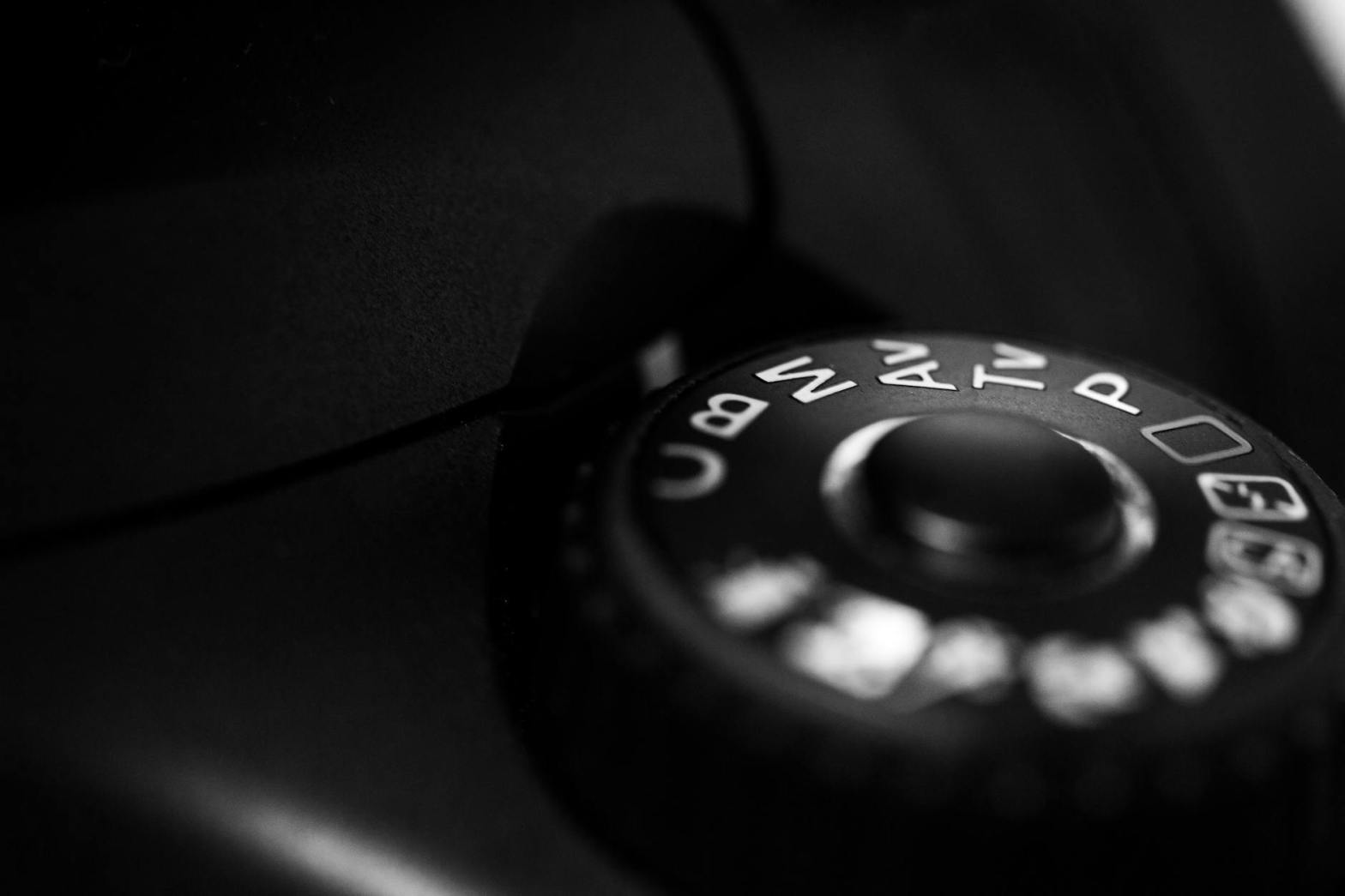
Manual Mode is a camera setting that places all exposure decisions—aperture, shutter speed, and ISO—into the hands of the photographer. Unlike Auto Mode, where the camera calculates these settings, Manual Mode allows you to override automatic functions and tailor your images according to your vision.


The Core Elements of Manual Mode

1. Aperture

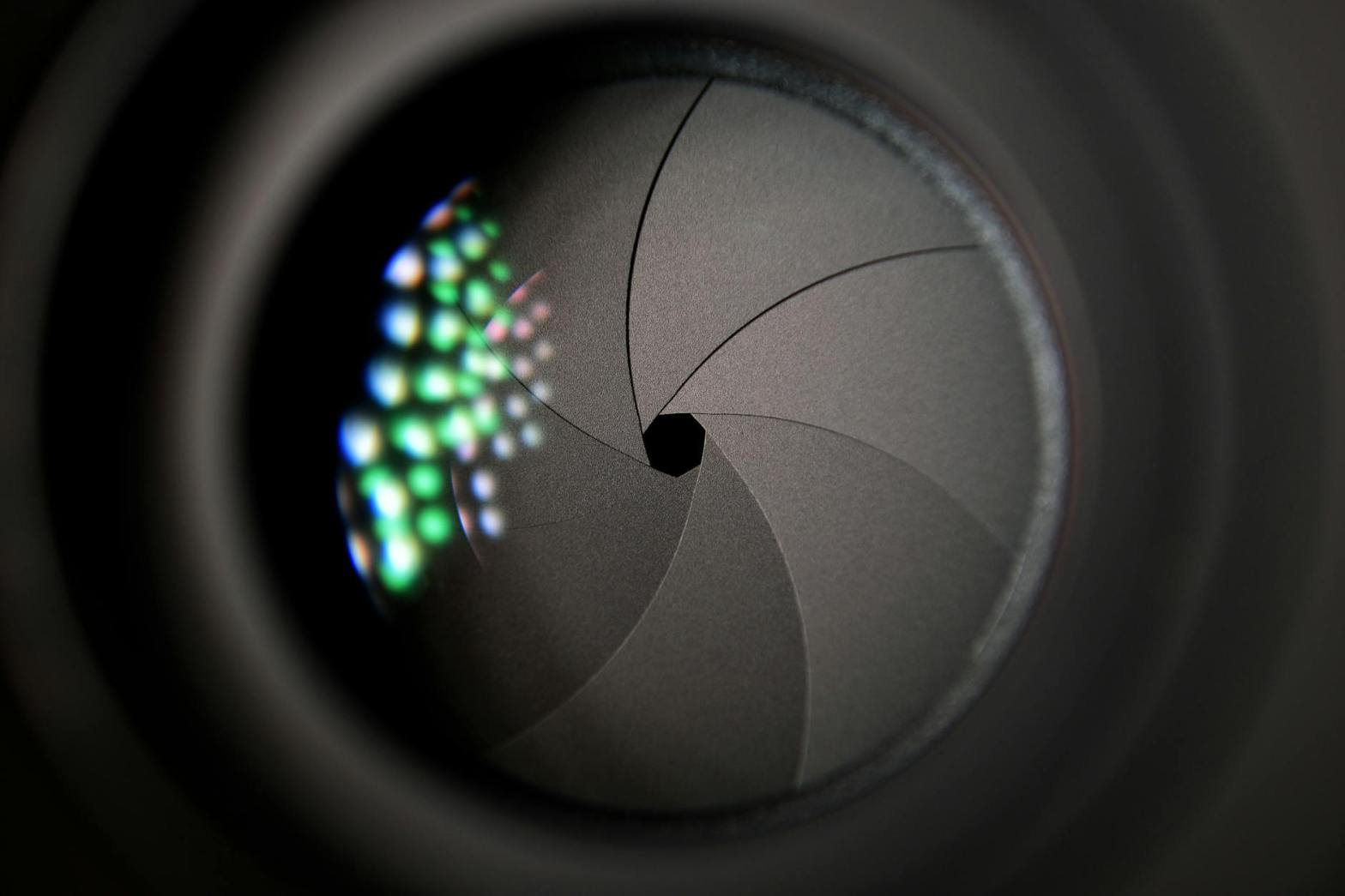
Aperture refers to the opening in the lens that allows light to pass through to the camera sensor. Measured in f-stops, aperture not only controls the amount of light entering the camera but also determines the depth of field.

Key Considerations:

  • Wide Aperture (Low f-number, e.g., f/1.8): Allows more light in, resulting in a shallow depth of field (blurry background). Ideal for portraits and low-light scenarios.
  • Narrow Aperture (High f-number, e.g., f/16): Allows less light, resulting in a greater depth of field (sharp from foreground to background). Perfect for landscapes and architectural photography.

Practical Exercise: Experiment with different aperture settings in Manual Mode. Capture the same subject with varying f-stops to observe how the background blur changes.


2. Shutter Speed

Shutter speed controls the length of time the camera’s sensor is exposed to light. Measured in fractions of a second (e.g., 1/250), it determines motion blur or freezing action in your photos.

Key Considerations:

  • Fast Shutter Speed (e.g., 1/1000): Freezes motion, ideal for action shots like sports or wildlife.
  • Slow Shutter Speed (e.g., 1/10): Captures motion blur, suitable for creative effects like light trails or flowing water.

Practical Exercise: Use a tripod and capture a waterfall at various shutter speeds to see how the movement of water changes from frozen to silky smooth.


3. ISO

ISO measures the camera sensor’s sensitivity to light. A lower ISO (e.g., 100) produces less noise and is ideal for bright conditions. A higher ISO (e.g., 3200) increases sensitivity, useful in low-light situations but at the cost of added noise.

Key Considerations:

  • Low ISO: Provides cleaner images with minimal grain but requires more light.
  • High ISO: Enables shooting in dim environments but introduces noise.

Practical Exercise: Take a series of photos in dim lighting, gradually increasing the ISO to understand how it affects image quality.


How the Exposure Triangle Comes into Play

Manual Mode is the playground of the Exposure Triangle: the interplay of aperture, shutter speed, and ISO. Adjusting one component necessitates compensatory changes in the others to maintain proper exposure.

Example Scenario:

  • If you widen the aperture (e.g., f/2.8) to let in more light, you might need to use a faster shutter speed to prevent overexposure.
  • Conversely, if you’re shooting in low light with a narrow aperture (e.g., f/11), you can increase ISO or slow the shutter speed to achieve proper exposure.

Practical Exercise: Choose a static subject and take three shots:

  1. Balanced exposure using default settings.
  2. Adjust one element (e.g., widen aperture) and compensate by changing another (e.g., increase shutter speed).
  3. Overexpose and underexpose intentionally to observe the effects.

Why Manual Mode Matters

Creative Freedom

Manual Mode liberates you from the constraints of pre-determined settings, enabling you to:

  • Control depth of field for artistic effects.
  • Manipulate motion blur to add drama.
  • Choose exposure levels for high-contrast or low-key shots.

Consistency

In challenging lighting conditions, Manual Mode provides consistent results that Auto Mode may struggle to achieve, such as:

  • Backlit scenes.
  • Studio lighting setups.
  • Low-light environments.

Skill Development

Using Manual Mode enhances your understanding of photography fundamentals. Over time, you’ll develop an intuitive sense for exposure settings, making adjustments on the fly.


Tips for Success in Manual Mode

Start with the Basics

Begin by mastering each component of the Exposure Triangle individually. Gradually experiment with combining them.

Use the Light Meter

Your camera’s built-in light meter is a valuable tool for gauging exposure. In Manual Mode, it provides feedback on whether your image is underexposed, overexposed, or correctly exposed.

Practical Tip: Aim for a balanced meter reading, but don’t be afraid to override it for creative reasons.

Shoot in RAW Format

RAW files retain more image data, allowing greater flexibility in post-processing. This is particularly useful if your manual settings aren’t perfect.

Practice in Controlled Environments

Experimenting indoors or in stable lighting conditions helps you focus on settings without external distractions.

Analyze Your Photos

Review your images on a larger screen to identify patterns in your settings. Use metadata to learn from your successes and mistakes.


Overcoming Common Challenges

Balancing Exposure

Achieving the perfect balance can be tricky. Bracketing—taking multiple shots at slightly different exposures—helps you determine the best settings.

Dealing with Low Light

Use a tripod and slower shutter speed to avoid noise from high ISO settings. Add external lighting or reflectors when necessary.

Managing Motion Blur

Stabilize your camera with a tripod or increase shutter speed to eliminate unwanted blur. For intentional blur, pan with the subject to create a sense of motion.


Manual Mode for Different Scenarios

Portraits

  • Wide aperture for blurred backgrounds.
  • Low ISO for cleaner images.
  • Adjust shutter speed to avoid camera shake.

Landscapes

  • Narrow aperture for greater depth of field.
  • Use a tripod and slower shutter speed for sharp details.
  • Low ISO for minimal noise.

Action and Sports

  • Fast shutter speed to freeze motion.
  • Moderate ISO for flexibility in changing light.
  • Adjust aperture to balance depth of field and exposure.

Night Photography

  • High ISO to capture light without flash.
  • Slow shutter speed with a tripod.
  • Manual focus for precise control.

Conclusion

Mastering Manual Mode transforms you from a passive observer into an active creator. By taking control of aperture, shutter speed, and ISO, you’ll unlock a world of creative possibilities and develop a deeper connection to your craft. Practice is key—start small, experiment boldly, and watch your photography evolve.

Composition Basics

Photography is not just about pointing a camera and clicking a button; it is about creating images that communicate emotion, tell a story, or captivate the viewer’s attention. Composition is the artful arrangement of visual elements within the frame, and mastering its fundamentals can elevate your photography from ordinary to extraordinary. This chapter explores key principles and techniques to help you compose compelling images.


The Importance of Composition

Composition guides the viewer’s eye and emphasizes the subject, creating balance and harmony within the frame. A well-composed photograph captures attention, evokes emotion, and leaves a lasting impression. While some aspects of composition come naturally, many can be learned and refined through practice.


1. Rule of Thirds

The rule of thirds is one of the most well-known and effective principles in photography. It involves dividing the frame into nine equal parts by two horizontal and two vertical lines. Placing your subject along these lines or at their intersections creates a balanced and visually pleasing composition.

Key Concepts

  • Dynamic Balance: Placing the subject off-center adds tension and interest compared to centering it.
  • Guiding the Eye: The rule of thirds naturally leads the viewer’s eye through the image.

Practical Applications

  • Landscapes: Position the horizon along the top or bottom third, rather than splitting the frame in half.
  • Portraits: Place the subject’s eyes at one of the intersection points.

Breaking the Rule

While the rule of thirds is effective, don’t hesitate to break it for creative purposes. Centered compositions or unconventional placements can add drama or symmetry.


2. Leading Lines

Leading lines direct the viewer’s gaze through the image, often towards the subject. These lines can be literal (roads, bridges) or implied (shadows, patterns).

Key Concepts

  • Types of Lines: Horizontal lines convey stability, vertical lines suggest strength, and diagonal lines add dynamism.
  • Natural vs. Artificial: Leading lines can be found in nature (rivers, tree branches) or man-made structures (railings, pathways).

Practical Applications

  • Use leading lines to draw attention to your subject.
  • Experiment with converging lines to create depth and perspective.

3. Framing

Framing involves using elements within the scene to create a natural frame around your subject. This technique adds context, depth, and focus to your image.

Key Concepts

  • Natural Frames: Tree branches, doorways, windows, or archways.
  • Depth and Context: Frames create layers, adding a three-dimensional feel.

Practical Applications

  • Find opportunities to shoot through objects for creative framing.
  • Use frames to block distractions and highlight the subject.

4. Symmetry and Patterns

Humans are naturally drawn to symmetry and patterns. Incorporating these elements creates a sense of order and harmony in your images.

Key Concepts

  • Symmetry: Achieved when both halves of an image mirror each other. Symmetry is often found in architecture and reflections.
  • Patterns: Repeated shapes, lines, or colors create rhythm and structure.

Practical Applications

  • Look for symmetry in landscapes (e.g., reflections in water) or man-made environments.
  • Break a pattern with a contrasting element to create visual interest.

5. Depth and Perspective

Creating a sense of depth transforms a flat photograph into a rich, immersive experience. Perspective helps convey the scale and spatial relationships within the frame.

Key Concepts

  • Foreground, Midground, Background: Including elements at varying distances adds layers.
  • Vanishing Point: Lines converging towards a point create depth.
  • Overlapping Elements: Placing one subject in front of another emphasizes their spatial relationship.

Practical Applications

  • Use a wide-angle lens to exaggerate perspective.
  • Shoot at eye level or experiment with low and high angles to alter perspective.

6. Negative Space

Negative space refers to the empty or unoccupied areas in an image. Used effectively, it emphasizes the subject and creates a sense of simplicity and elegance.

Key Concepts

  • Balancing Space: Negative space should complement, not overwhelm, the subject.
  • Minimalism: Often associated with negative space, minimalism highlights essential elements.

Practical Applications

  • Use negative space to isolate the subject and create a clean composition.
  • Experiment with sky, water, or plain backgrounds to add contrast.

7. Color Theory

Colors evoke emotions and influence how viewers perceive an image. Understanding color theory helps you create harmonious and impactful compositions.

Key Concepts

  • Color Harmony: Complementary colors (e.g., blue and orange) create contrast, while analogous colors (e.g., blue and green) create harmony.
  • Color Psychology: Warm colors (red, yellow) evoke energy, while cool colors (blue, green) convey calmness.

Practical Applications

  • Use color contrast to draw attention to your subject.
  • Experiment with monochromatic schemes for a cohesive look.

8. Balance

Balance ensures that no part of the image feels too heavy or visually dominant. It’s about distributing elements in a way that feels natural and pleasing.

Key Concepts

  • Symmetrical Balance: Equal visual weight on both sides of the frame.
  • Asymmetrical Balance: Unequal distribution that still feels harmonious.
  • Radial Balance: Elements radiating from a central point.

Practical Applications

  • Use contrasting elements to balance large, dominant subjects.
  • Balance colors, textures, or shapes to create visual harmony.

9. Cropping and Aspect Ratio

How you frame and crop an image impacts its composition and storytelling. Aspect ratio determines the dimensions of your frame, influencing how elements are arranged.

Key Concepts

  • Common Ratios: 3:2 (traditional photography), 4:3 (standard digital), and 16:9 (widescreen).
  • Cropping: Focuses attention by eliminating distractions or reframing the subject.

Practical Applications

  • Use cropping to refine your composition in post-processing.
  • Experiment with unconventional aspect ratios for creative effects.

10. Golden Ratio and Spirals

The golden ratio (1:1.618) is a mathematical principle often found in nature, art, and architecture. It creates aesthetically pleasing compositions.

Key Concepts

  • Golden Spiral: A spiral overlay that guides the viewer’s eye through the frame.
  • Phi Grid: Similar to the rule of thirds but based on the golden ratio.

Practical Applications

  • Use the golden spiral to arrange subjects and leading lines.
  • Combine with other compositional techniques for dynamic results.

Developing Your Eye for Composition

Composition is a skill honed through practice and observation. Train your eye by analyzing photographs, studying art, and experimenting with different techniques.

Exercises

  • Study Masterpieces: Analyze the work of renowned photographers and painters for compositional insights.
  • Practice One Rule: Focus on one technique (e.g., leading lines) during a shoot.
  • Experiment: Break traditional rules and observe the results.
  • Review and Reflect: Critique your own photos to identify strengths and areas for improvement.

Tools for Better Composition

Modern cameras and editing tools offer features to assist with composition:

  • Grid Overlays: Activate the rule of thirds or golden ratio grids in your camera settings.
  • Live View: Compose shots using your camera’s screen for precise adjustments.
  • Post-Processing Tools: Refine composition with cropping, straightening, and color adjustments.

Conclusion

Mastering composition is an ongoing journey that transforms how you see and capture the world. By understanding and applying these basics—from the rule of thirds to color theory—you can create images that resonate and inspire. Remember, rules are guidelines; let your creativity lead the way as you develop your unique photographic style.

The Exposure Triangle

The exposure triangle is the cornerstone of photography, encompassing three critical elements: aperture, shutter speed, and ISO. Mastering these components is essential for creating well-exposed images and unlocking creative possibilities in your photography. This chapter delves into each component, their relationships, and how to balance them effectively.

Understanding Exposure

Exposure refers to the amount of light that reaches the camera sensor, determining how bright or dark an image appears. The exposure triangle—aperture, shutter speed, and ISO—works together to control this light. Adjusting any one of these elements affects the others, making it vital to understand their interplay.


1. Aperture

Aperture refers to the opening in the lens through which light passes. Measured in f-stops, aperture sizes directly influence the amount of light entering the camera and the depth of field in an image.

Key Concepts

  • F-Stop Numbers: The f-stop scale (e.g., f/1.4, f/2.8, f/5.6, f/11) represents the size of the aperture. Smaller f-stop numbers indicate larger apertures, allowing more light, while larger f-stop numbers represent smaller apertures, allowing less light.
  • Depth of Field: Aperture size determines how much of the image is in focus. Larger apertures (smaller f-stops) create a shallow depth of field, isolating the subject by blurring the background. Smaller apertures (larger f-stops) result in a greater depth of field, keeping more of the scene in focus.

Practical Applications

  • Portraits: Use wide apertures (e.g., f/1.8) for soft, blurred backgrounds that make the subject stand out.
  • Landscapes: Use narrow apertures (e.g., f/11) for sharp details across the entire scene.

Challenges

  • Light Control: A wide aperture may result in overexposed images in bright conditions. Use ND filters or adjust other settings to compensate.
  • Lens Limitations: Not all lenses can achieve extremely wide or narrow apertures.

2. Shutter Speed

Shutter speed refers to the length of time the camera’s shutter remains open, allowing light to reach the sensor. Measured in seconds or fractions of a second, shutter speed affects motion in an image.

Key Concepts

  • Fast Shutter Speeds: Short durations (e.g., 1/1000s) freeze motion, ideal for sports and wildlife photography.
  • Slow Shutter Speeds: Longer durations (e.g., 1/10s or longer) capture motion blur, great for creative effects like light trails or silky waterfalls.
  • Bulb Mode: Allows the shutter to stay open as long as the shutter button is pressed, useful for long exposures like astrophotography.

Practical Applications

  • Action Shots: Use fast shutter speeds (e.g., 1/500s or faster) to freeze fast-moving subjects.
  • Creative Blur: Experiment with slow shutter speeds (e.g., 1/30s or slower) for artistic effects.
  • Low-Light: Combine slow shutter speeds with a tripod to capture detailed images in dim conditions.

Challenges

  • Camera Shake: Slow shutter speeds may result in blurry images due to hand movement. Use a tripod or image stabilization.
  • Limited Light: Fast shutter speeds may underexpose images in low light.

3. ISO

ISO refers to the camera sensor’s sensitivity to light. Adjusting ISO levels impacts the brightness of an image and the amount of digital noise.

Key Concepts

  • Low ISO: Values like ISO 100 or 200 produce cleaner images with minimal noise, ideal for well-lit conditions.
  • High ISO: Values like ISO 1600 or higher brighten images in low light but introduce more noise.

Practical Applications

  • Bright Scenes: Use low ISO settings to maintain optimal image quality.
  • Dim Scenes: Increase ISO to capture details in low light when aperture and shutter speed adjustments are insufficient.

Challenges

  • Noise: Higher ISO settings introduce graininess, especially in shadows and dark areas. Post-processing can mitigate some noise, but image quality may still suffer.

Balancing the Exposure Triangle

Achieving a well-exposed image requires balancing aperture, shutter speed, and ISO. Changing one element impacts the others, so understanding their interactions is crucial.

Example Scenarios

  1. Bright Outdoor Scene:
    • Aperture: f/8 (narrow aperture for depth of field)
    • Shutter Speed: 1/1000s (fast to prevent overexposure)
    • ISO: 100 (low for maximum image quality)
  2. Indoor Portrait:
    • Aperture: f/2.8 (wide aperture for background blur)
    • Shutter Speed: 1/100s (fast enough to avoid motion blur)
    • ISO: 800 (higher to compensate for low light)
  3. Night Landscape:
    • Aperture: f/4 (moderate for star detail and depth)
    • Shutter Speed: 30s (long exposure for light trails)
    • ISO: 1600 (high to capture ambient light)

Creative Uses of the Exposure Triangle

Beyond achieving proper exposure, manipulating the exposure triangle enables creative control over your photography.

Motion Effects

  • Use slow shutter speeds to capture motion blur in waterfalls, clouds, or car lights.
  • Freeze action with fast shutter speeds to highlight sharp details in sports.

Depth of Field

  • Isolate a subject with a shallow depth of field using a wide aperture.
  • Capture expansive scenes with maximum detail using a narrow aperture.

Noise and Texture

  • Embrace high ISO settings for gritty, atmospheric shots in dim environments.
  • Preserve clean, noise-free images in bright conditions with low ISO.

Tools to Aid Exposure

Modern cameras and accessories provide tools to help manage exposure:

Light Meters

Built-in light meters suggest optimal exposure settings based on the scene’s lighting conditions. Learn to read and adjust these settings manually for precision.

Exposure Compensation

Adjust exposure in-camera without altering aperture, shutter speed, or ISO directly. This is useful for tricky lighting situations.

Histogram

The histogram displays a graphical representation of brightness levels in an image. A balanced histogram helps prevent overexposed highlights or underexposed shadows.


Practice Exercises

  1. Aperture Priority Mode: Experiment with depth of field by shooting the same subject at different f-stop settings.
  2. Shutter Priority Mode: Capture motion blur and freeze action by adjusting shutter speeds.
  3. ISO Sensitivity: Shoot in low light, gradually increasing ISO to observe noise levels.
  4. Manual Mode: Balance all three settings to achieve different creative effects.

Listen to the podcast here –


Conclusion

Mastering the exposure triangle is a foundational skill in photography. By understanding and balancing aperture, shutter speed, and ISO, you gain control over your images’ technical and artistic aspects. Practice regularly, experiment with settings, and use the exposure triangle as a tool to transform your creative vision into stunning photographs.

Essential Accessories

Having the right camera is just the beginning of your photographic journey. To make the most of your gear and achieve your creative vision, it’s crucial to invest in the right accessories. These tools enhance your photography experience, provide greater versatility, and help you overcome challenges in different shooting conditions. Here’s a comprehensive look at the essential accessories every photographer should consider.

1. Camera Lenses

The lens you use significantly influences the quality and style of your photographs. Different lenses cater to various types of photography:

Prime Lenses

  • Features: Fixed focal length, usually faster apertures (e.g., f/1.8, f/1.4).
  • Best For: Portraits, low-light photography, and sharp, detailed images.
  • Advantages: Superior image quality, lightweight, and compact.

Zoom Lenses

  • Features: Variable focal lengths (e.g., 24-70mm, 70-200mm).
  • Best For: Versatility and situations where changing lenses isn’t practical.
  • Advantages: Covers multiple focal lengths, making them great for travel and events.

Specialty Lenses

  • Macro Lenses: Ideal for close-up photography of small subjects like insects and flowers.
  • Wide-Angle Lenses: Perfect for landscapes and architectural shots.
  • Telephoto Lenses: Great for sports and wildlife photography, enabling you to capture distant subjects.

2. Tripods

A tripod is an indispensable tool for stable and sharp images, especially in challenging lighting conditions.

Types of Tripods

  • Full-Size Tripods: Offer maximum stability; ideal for landscapes, portraits, and studio work.
  • Travel Tripods: Lightweight and compact, designed for photographers on the go.
  • Mini Tripods: Perfect for tabletop photography and compact setups.

Key Features to Look For

  • Material: Aluminum (affordable and durable) or carbon fiber (lightweight and sturdy).
  • Height: Adjustable to suit your shooting needs.
  • Load Capacity: Ensure it can support your camera and heaviest lens.

3. Camera Bags

A reliable camera bag protects your gear and makes it easy to transport. Choose a bag based on your shooting style and the amount of equipment you carry.

Popular Options

  • Backpacks: Excellent for carrying multiple lenses and accessories over long distances.
  • Shoulder Bags: Ideal for quick access to your camera and lenses.
  • Sling Bags: A hybrid option offering convenience and moderate capacity.
  • Hard Cases: Provide maximum protection for professional gear during travel.

4. Filters

Filters are essential for controlling light, enhancing colors, and protecting your lenses.

Common Filter Types

  • UV Filters: Protect the lens from scratches and dust.
  • Polarizing Filters: Reduce reflections and enhance color saturation in skies and water.
  • Neutral Density (ND) Filters: Reduce light entering the lens, allowing slower shutter speeds for creative effects like smooth water or motion blur.

Choosing Filters

Invest in high-quality filters that match your lens diameter to ensure optimal performance.

5. External Flash and Lighting Equipment

Natural light isn’t always sufficient, and mastering artificial lighting opens up new creative possibilities.

Flash Options

  • On-Camera Flash: Compact and portable, great for event photography.
  • Off-Camera Flash: Offers flexibility in positioning for creative lighting setups.

Other Lighting Accessories

  • Reflectors: Bounce light onto your subject to fill in shadows.
  • Softboxes: Diffuse light for softer, more flattering portraits.
  • Light Stands: Provide stability and positioning for off-camera flashes or continuous lights.

6. Memory Cards

High-quality memory cards are vital for storing your images securely.

What to Look For

  • Capacity: Choose cards with ample storage (e.g., 64GB, 128GB) for long shoots.
  • Speed: High write speeds (e.g., 90MB/s or higher) are essential for burst shooting and 4K video.
  • Reliability: Opt for trusted brands like SanDisk, Lexar, or Samsung.

Backup Solutions

Carry multiple cards and consider portable hard drives or cloud storage for redundancy.

7. Batteries and Chargers

Running out of battery power can cut a shoot short. Always carry extras.

Recommendations

  • Extra Batteries: Ensure compatibility with your camera model.
  • Portable Chargers or Power Banks: Keep your camera and other devices charged on the go.
  • Battery Grips: Attach to your camera for extended shooting time and better ergonomics.

8. Remote Shutter Release

A remote shutter release helps eliminate camera shake, especially for long exposures and self-portraits.

Types

  • Wired Remotes: Simple and affordable, connect directly to your camera.
  • Wireless Remotes: Offer greater flexibility, often with additional features like interval shooting.
  • App-Based Controls: Use your smartphone to control your camera remotely.

9. Cleaning Equipment

Keeping your gear clean ensures optimal performance and longevity.

Essential Tools

  • Lens Cloths and Cleaning Solution: For removing smudges and dust from lenses.
  • Air Blower: Safely remove dust from your sensor and lens without touching them.
  • Sensor Cleaning Kits: For more thorough cleaning when needed.
  • Microfiber Cloths: General cleaning for camera bodies and accessories.

10. Straps and Harnesses

Comfortable straps and harnesses make carrying your camera easier during long shoots.

Options

  • Neck Straps: Standard straps provided with cameras, though aftermarket options offer better comfort.
  • Wrist Straps: Compact and ideal for lighter cameras.
  • Harnesses: Distribute weight evenly for carrying multiple cameras.

11. Software and Apps

Post-processing software and mobile apps are essential for editing and managing your photos.

Popular Choices

  • Adobe Lightroom and Photoshop: Industry-standard tools for comprehensive editing.
  • Capture One: Known for exceptional color grading and tethered shooting.
  • Mobile Apps: Snapseed and VSCO for editing on the go.

Listen to the podcast here –

Conclusion

Investing in essential accessories enhances your ability to capture the images you envision and ensures a smoother, more enjoyable photography experience. From lenses and tripods to lighting and software, each accessory plays a critical role in expanding your creative capabilities. As you grow in your photographic journey, building a versatile toolkit will empower you to tackle any challenge and achieve your artistic goals.

Key Features to Compare

When choosing a camera, it’s important to consider the following features:

Sensor Size

The sensor is the heart of the camera, capturing the light that forms an image. Larger sensors typically produce higher-quality images because they gather more light. Common sensor sizes include:

  • Full-Frame Sensors: Found in high-end DSLRs and mirrorless cameras, these sensors are equivalent to 35mm film and provide excellent low-light performance and depth of field control.
  • APS-C Sensors: Slightly smaller than full-frame, these are common in mid-range cameras and offer a good balance of quality and affordability.
  • Micro Four Thirds Sensors: Used in many compact and mirrorless cameras, these sensors are smaller but still capable of producing excellent images.
  • Smartphone Sensors: These are the smallest and rely on computational photography to enhance image quality.

Megapixels

Megapixels refer to the resolution of a camera’s sensor. While more megapixels can mean more detail, it’s not the only factor affecting image quality. High megapixel counts are useful for large prints and detailed cropping but may require more storage and processing power.

Lens Compatibility

A camera’s versatility is significantly influenced by the lenses available. Interchangeable lens systems, like those in DSLRs and mirrorless cameras, offer wide creative possibilities. Look for cameras with:

  • Wide Lens Selection: Ensure the camera’s system has lenses suitable for your needs, whether wide-angle, macro, or telephoto.
  • Third-Party Support: Some brands have more third-party lens options, which can be more affordable.

Portability

The best camera is the one you have with you. Consider:

  • Weight and Size: Mirrorless cameras and compact cameras are more portable than DSLRs.
  • Travel Needs: If you plan to carry your camera often, prioritize a lightweight and durable option.

Price

Balancing your budget with your desired features is crucial. Entry-level DSLRs and compact cameras are affordable starting points, while professional models and lenses can be significant investments.

Battery Life

Long battery life is essential for extended shoots, especially when traveling. DSLRs generally have longer battery life due to their optical viewfinders, while mirrorless cameras may require extra batteries.

Autofocus System

Advanced autofocus systems are invaluable for capturing fast-moving subjects. Mirrorless cameras often have cutting-edge tracking capabilities, making them ideal for video and action photography.

Connectivity

Modern cameras often include Wi-Fi, Bluetooth, or NFC for easy sharing and remote control. These features are particularly handy for smartphone photographers transitioning to dedicated cameras.

Listen to the podcast here –

Conclusion

Understanding and comparing these key features will empower you to choose the camera that aligns best with your needs and goals. Whether prioritizing image quality, portability, or affordability, a well-informed decision ensures you’ll have the right tool to capture your creative vision

Types of Cameras

Types of Cameras: DSLRs, Mirrorless, Compact, and Smartphone Cameras

Photography begins with understanding your tools. Each type of camera has unique features, strengths, and limitations that cater to different needs, styles, and levels of expertise. Below, we explore the primary types of cameras available today.

DSLRs (Digital Single-Lens Reflex Cameras)

DSLRs are the workhorses of professional and enthusiast photography. They use a mirror mechanism to reflect light from the lens into an optical viewfinder, allowing photographers to see exactly what the lens sees.

Key Features:

  • Interchangeable Lenses: DSLRs offer a wide range of lenses, from wide-angle to telephoto, giving photographers incredible versatility.
  • Superior Image Quality: Equipped with large sensors, DSLRs excel in capturing detailed, high-resolution images, even in low light.
  • Manual Control: These cameras provide extensive control over settings like aperture, shutter speed, and ISO, making them ideal for learning and mastery.
  • Durability: Designed for rigorous use, many DSLRs are weather-sealed and robust.

Considerations:

  • Size and Weight: DSLRs are bulkier and heavier compared to other camera types.
  • Learning Curve: Beginners may need time to get accustomed to the controls and features.

Mirrorless Cameras

Mirrorless cameras have revolutionized the photography world by eliminating the mirror mechanism, offering a more compact alternative to DSLRs. Instead of an optical viewfinder, they use an electronic viewfinder or the LCD screen to display the image.

Key Features:

  • Compact Design: Without the bulky mirror assembly, mirrorless cameras are lighter and more portable.
  • Electronic Viewfinder (EVF): The EVF displays real-time exposure and settings adjustments, giving photographers immediate feedback.
  • Interchangeable Lenses: Like DSLRs, mirrorless cameras support a variety of lenses.
  • Advanced Autofocus Systems: Mirrorless cameras often have superior autofocus tracking, especially for video.

Considerations:

  • Battery Life: The reliance on electronic components can drain the battery faster.
  • Limited Lens Selection: While improving, lens options for some systems may be narrower than those for DSLRs.

Compact Cameras

Also known as point-and-shoot cameras, compact cameras are designed for simplicity and ease of use. They cater to casual photographers who want decent image quality without the complexity of larger systems.

Key Features:

  • Portability: Compact and lightweight, these cameras are perfect for on-the-go photography.
  • Ease of Use: With automatic settings, they are ideal for beginners or those who prefer a hassle-free experience.
  • Integrated Lenses: These cameras typically have fixed lenses with varying zoom ranges.
  • Affordability: Generally more budget-friendly than DSLRs and mirrorless cameras.

Considerations:

  • Limited Manual Control: Compact cameras may not offer much flexibility for advanced settings.
  • Image Quality: Smaller sensors can limit performance in low light and reduce depth of field control.

Smartphone Cameras

Smartphones have become the most widely used cameras in the world due to their convenience and ever-improving capabilities. Modern smartphones often feature multiple lenses and advanced computational photography.

Key Features:

  • Always Accessible: Smartphones are almost always within reach, making them perfect for spontaneous photography.
  • Computational Enhancements: Features like HDR, portrait mode, and night mode enhance image quality.
  • Social Media Integration: Easy sharing directly from the device.
  • Video Capabilities: High-quality video recording with features like stabilization.

Considerations:

  • Sensor Size: While improving, smartphone sensors are still smaller than those of dedicated cameras.
  • Limited Manual Controls: Many smartphones rely on automatic settings, although some offer “pro” modes.
  • Fixed Lenses: Without interchangeable lenses, smartphones rely on digital zoom, which can reduce image quality.

Key Features to Compare

When choosing a camera, it’s important to consider the following features:

  • Sensor Size: Larger sensors generally produce better image quality and handle low light better.
  • Megapixels: While not the sole determinant of quality, more megapixels can allow for larger prints and detailed crops.
  • Lens Compatibility: The availability of lenses can significantly impact your creative possibilities.
  • Portability: Consider how often and where you’ll be using the camera.
  • Price: Balance your budget with the features you prioritize.

Conclusion

Understanding the different types of cameras and their features is the first step in your photographic journey. Each type has its own strengths and is suited for specific needs, whether you’re capturing landscapes on a DSLR, vlogging with a mirrorless camera, documenting travel with a compact camera, or sharing moments instantly from your smartphone. Choose the camera that aligns with your goals and start exploring the endless possibilities of digital photography.