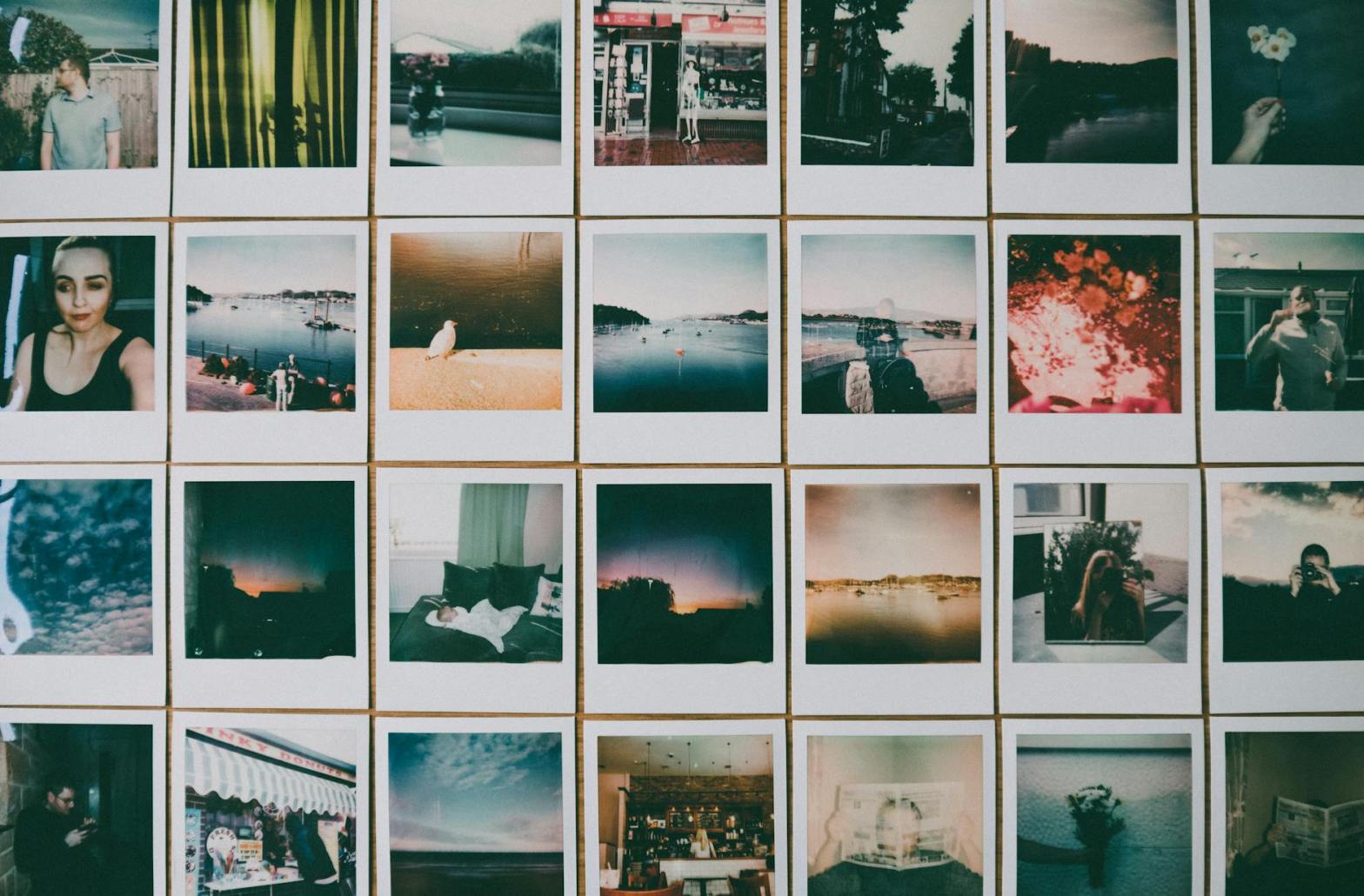
A themed photography series is a compelling way to channel your creativity and push the boundaries of your photographic skills. By committing to a particular subject, concept, or style, you gain the opportunity to refine your approach, tell a cohesive story, and present your work with a unifying vision. Whether you’re a beginner looking to explore new ideas or an experienced photographer seeking to deepen your expertise, themed series can be an enriching and transformative project.
What is a Themed Photography Series?
A themed series is a collection of photographs centered around a single concept, subject, or style. Unlike individual images that stand alone, a series creates a narrative or visual cohesion, offering viewers a deeper, more immersive experience. Examples include:
- Subject-Based Themes: Nature, architecture, or portraits.
- Conceptual Themes: Emotion, movement, or contrast.
- Stylistic Themes: Black and white, macro, or minimalism.
The flexibility of a themed series allows you to align the project with your personal interests and photographic goals.
Why Create a Themed Series?
1. Focus and Direction
Themed projects provide a clear purpose and structure, helping you avoid creative stagnation. Instead of wandering aimlessly, you work with intention.
2. Skill Development
Focusing on a single theme enables you to refine specific techniques and experiment with variations on a subject or style.
3. Storytelling Opportunities
A series allows you to explore narratives and concepts in greater depth, capturing nuances that might be overlooked in standalone images.
4. Portfolio Enhancement
A cohesive series can be a powerful addition to your portfolio, showcasing your ability to execute a unified vision.
5. Personal Growth
Themed projects often challenge you to step out of your comfort zone, sparking growth as both a photographer and a creative thinker.
How to Start a Themed Series
1. Choose Your Theme
Selecting a theme is the first and most critical step. Consider the following approaches:
- Personal Interests: What subjects or styles resonate with you?
- Challenges: Is there a technique or genre you’ve been eager to explore?
- Current Trends: What themes are popular or thought-provoking in contemporary photography?
- Story Ideas: Can you tell a story through your images?
Some popular themes include:
- Nature’s Seasons
- Urban Decay
- Everyday Objects
- The Human Face
- Light and Shadow
2. Define Your Scope
Determine the size and duration of your project. Will it be a short-term series of ten images, or a long-term endeavor spanning months? Consider your schedule and goals.
3. Research and Plan
Study other photographers who have created themed series. Analyze what makes their work successful and draw inspiration for your own approach. Planning can involve:
- Sketching ideas or creating mood boards.
- Identifying locations, models, or props.
- Scheduling shoots to align with natural light or seasonal conditions.
4. Establish Consistency
For a series to feel cohesive, maintain consistency in:
- Style: Stick to a specific color palette, editing technique, or visual mood.
- Composition: Use recurring patterns, angles, or framing techniques.
- Format: Decide if your series will use horizontal, vertical, or square crops.
Exploring Popular Themes
1. Nature and Landscape Themes
- Changing Seasons: Capture the transformation of landscapes across spring, summer, autumn, and winter.
- Natural Patterns: Highlight textures in leaves, bark, rocks, or water.
- Wildlife Focus: Document a particular species or ecosystem.
2. Urban and Street Photography
- Cityscapes at Night: Experiment with long exposures and city lights.
- Graffiti and Street Art: Celebrate urban creativity.
- Human Stories: Capture candid moments that reflect urban life.
3. People and Portraits
- Cultural Portraits: Explore traditions and lifestyles in a specific community.
- Emotional Expressions: Focus on capturing raw human emotions.
- The Aging Process: Document the beauty of faces across different age groups.
4. Abstract and Conceptual Themes
- Minimalism: Use clean lines and negative space to create striking compositions.
- Color Studies: Focus on a single color or complementary color pairings.
- Reflections: Explore how mirrors, water, or glass distort and transform reality.
Techniques for Capturing Themed Series
1. Experiment with Composition
Within your theme, vary your framing to add visual interest. For example:
- Use close-ups and wide shots.
- Play with symmetry and asymmetry.
- Incorporate leading lines and patterns.
2. Master Lighting
Lighting can unify your series or add depth to your theme:
- For dramatic themes, use strong shadows or chiaroscuro lighting.
- For softer themes, opt for natural light or diffused artificial light.
3. Explore Perspectives
Challenge yourself to shoot from unconventional angles:
- Shoot from above or below your subject.
- Incorporate reflections or distortions.
4. Edit Thoughtfully
Post-processing is vital for thematic cohesion. Use consistent editing techniques, such as:
- Applying the same filter or preset to all images.
- Maintaining uniform contrast, saturation, and sharpness.
- Emphasizing the theme with selective adjustments, such as desaturating all but one color.
Telling a Story Through a Themed Series
1. Identify the Narrative
Decide what story you want to tell and how your theme supports it. For example:
- A series on urban decay could explore themes of time, neglect, and renewal.
- A portrait series might chronicle the daily lives of people in a specific profession.
2. Sequence Your Images
Arrange your photos to create a logical flow or emotional arc. Options include:
- Chronological Order: Follow a timeline of events or changes.
- Thematic Grouping: Cluster images by sub-themes or visual similarities.
- Contrast and Surprise: Juxtapose opposing elements for impact.
3. Add Context
Provide titles, captions, or brief explanations to deepen the viewer’s understanding of your series.
Showcasing Your Themed Series
1. Online Platforms
Use photography websites, social media, or personal blogs to share your series. Platforms like Instagram, Behance, or 500px are particularly effective.
2. Physical Displays
Print your series for exhibitions, gallery shows, or personal portfolios. High-quality prints emphasize the artistry of your work.
3. Photo Books
Compile your series into a photo book, pairing images with narratives or commentary.
4. Competitions and Submissions
Submit your series to photography contests, magazines, or online galleries. Many organizations seek thematic work for features and awards.
Overcoming Challenges in Themed Series
1. Maintaining Motivation
Sticking to a theme can feel restrictive over time. Keep your enthusiasm alive by:
- Taking occasional breaks.
- Collaborating with other photographers.
- Revisiting your theme from new perspectives.
2. Avoiding Repetition
Prevent your series from feeling monotonous by:
- Experimenting with different techniques or styles within your theme.
- Incorporating diverse settings, subjects, or props.
3. Balancing Cohesion and Variety
Strive for a balance between consistency and creative diversity. While your series should feel unified, each image should stand out on its own.
Celebrating Your Achievement
Completing a themed series is an accomplishment worth celebrating. Take time to reflect on:
- What you learned about photography and storytelling.
- How your technical and creative skills evolved.
- The new perspectives or connections you gained.
Share your success with your audience and consider your next project. Perhaps your themed series has sparked an idea for a related subject or style to explore further.
Conclusion
A themed photography series is both a challenge and an opportunity—a chance to delve deeply into a subject, refine your artistic vision, and create something truly meaningful. By focusing on a specific theme, you not only develop as a photographer but also invite your audience to see the world through your unique lens.
Whether you choose to document the beauty of everyday objects, explore the emotions behind human expressions, or capture the fleeting moments of nature, a themed series offers endless possibilities for creative growth and storytelling. So pick a theme, grab your camera, and embark on a journey that promises to enrich both your skills and your perspective.







 Learning Digital Photography